
-
5 minutes, 33 seconds
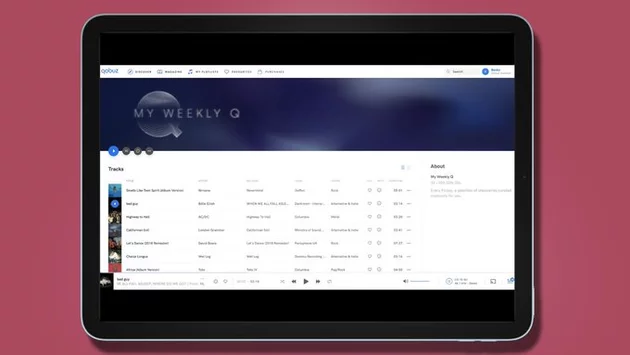
Music lovers are increasingly leaving Spotify. Price hikes, poor artist payouts, and intrusive AI features have pushed many fans to search for alternatives. Among them, Qobuz stands out as a favorite. With its massive library of high-resolution music and clean, no-frills interface, it caters to listeners who want pure sound quality without distractions.
If the thought of losing your carefully curated Spotify playlists has been holding you back, there’s good news. Moving your music from Spotify to Qobuz is easier than you might think. Here’s a step-by-step guide to making the transition smoothly.
Spotify has long dominated the streaming world, but its recent changes are alienating some users. Price increases and inconsistent artist royalties have frustrated many, while AI-driven features and over-complicated interfaces leave casual listeners feeling lost.
Qobuz, by contrast, keeps things simple. Its focus on high-quality audio, clear navigation, and minimal distractions appeals to audiophiles and casual listeners alike. Whether you’re listening on an iPad, laptop, or hi-res setup, Qobuz delivers clean, detailed sound that’s hard to beat.
Switching now means better audio, more control over your music library, and a platform designed with listeners in mind—not algorithms.
Before diving into the migration, you’ll want to organize your Spotify library. Take a moment to review your playlists, liked songs, and saved albums. Removing duplicates or songs you no longer enjoy makes the transfer cleaner and faster.
Next, make sure you have an active Qobuz account. Their subscription options vary depending on how much high-resolution music you want to access, but even the standard plan offers better sound quality than most Spotify tiers.
Finally, you’ll need a playlist transfer tool. There are several reliable apps that allow you to move playlists from Spotify to Qobuz quickly, without manually recreating each list. These tools handle the heavy lifting and ensure none of your favorite mixes get lost in the shuffle.
Choose a Transfer Tool: Popular options include free and paid services that connect directly to your Spotify and Qobuz accounts. Pick one that suits your needs.
Connect Accounts Securely: Log into Spotify and Qobuz through the transfer tool. These services use secure authentication, so your login details remain private.
Select Playlists to Transfer: You can choose all your playlists or only specific ones. This allows you to declutter and keep only the music you actually listen to.
Start the Transfer: Depending on the size of your library, this can take a few minutes to half an hour. The tool will match songs to Qobuz’s catalog and recreate your playlists automatically.
Verify Your Library: Once the transfer is complete, open Qobuz and check that your playlists appear correctly. Some obscure tracks might need manual replacement, but the majority should carry over seamlessly.
Check Track Availability: While Qobuz has an extensive library, a few niche tracks might not be available. Consider creating a backup playlist of unmatched songs.
Recreate Smart Playlists: Some dynamic Spotify playlists, like “Daily Mixes,” won’t transfer exactly. You can rebuild similar mixes on Qobuz manually.
Enjoy Hi-Res Audio: One of the biggest benefits of switching is the superior sound quality. Take time to explore Qobuz’s high-resolution offerings on compatible devices for the full experience.
Migrating to Qobuz isn’t just about following a trend—it’s about taking control of your listening experience. You’ll enjoy higher audio quality, a clutter-free interface, and the satisfaction of keeping your playlists intact.
For anyone frustrated with Spotify’s changes, moving to Qobuz offers a fresh start without losing years of music organization. Once your playlists are safely ported, you can focus on what really matters: enjoying every note the way the artist intended.

2.5K articles

1.4K articles

34 articles

28 articles














Comment