Alerts

-
3 minutes, 9 seconds
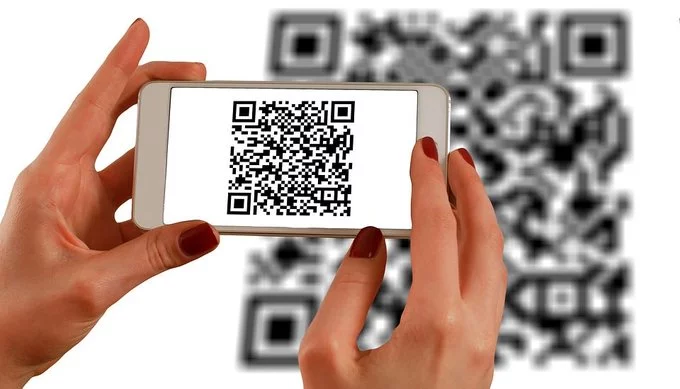
QR code phishing, also known as “quishing,” is a cyberattack where scammers embed malicious URLs inside QR codes. Because these codes are designed to be scanned by a smartphone camera, users often skip the usual security checks they might perform on a standard link. When scanned, the code redirects the victim to a fraudulent website that mimics a legitimate login page, or it can trigger a direct download of malware onto the device.
This technique exploits the inherent trust people place in QR codes, which are now common in restaurants, parking garages, and public advertisements. Unlike a traditional email link, the destination of a QR code is invisible until it is scanned, making it a highly effective vector for phishing. Attackers often place their malicious codes over legitimate ones, or send them via email or text, to lure victims into entering credentials or installing harmful software.
Scammers often exploit the trust we place in physical and digital spaces by tampering with QR codes. One of the most prevalent methods is sticker overlays, where a fake QR code is placed directly over a legitimate one. This is frequently seen at parking meters, restaurant tables, and on public posters. When you scan the fraudulent code, you are redirected to a malicious website designed to steal your credentials or payment information.
Beyond physical tampering, these codes are also distributed digitally. Attackers send phishing emails or text messages that contain QR codes, often claiming there is an urgent issue with your account or a package delivery. The message is crafted to create panic, prompting you to scan the code without a second thought. Because QR codes are not inherently readable by humans, you cannot visually verify the destination URL before scanning, making these tactics particularly effective and dangerous.
Before you point your camera, take a moment to inspect the code itself. Cybercriminals often place a fake QR sticker over a legitimate one, so check for any signs of tampering, such as a misaligned or bubbled label. If the code looks suspicious, do not scan it.
When you do scan, your phone will typically show a URL preview before opening the link. Always review this preview carefully—if the domain looks unfamiliar, contains typos, or doesn’t match the expected business, cancel the action immediately. Avoid scanning codes that promise urgent rewards or threaten account suspension, as these are common quishing tactics.
For maximum safety, use official apps or websites directly instead of scanning a QR code. For instance, if a poster claims to be from your bank, open your banking app manually or type the known URL into your browser. This bypasses the QR code entirely, ensuring you never land on a lookalike phishing page.
If you realize you have scanned a malicious QR code, act quickly to limit potential damage. First, immediately change passwords for any accounts you accessed after scanning, especially your email and banking credentials. Use a different, trusted device to make these changes. Next, run a full security scan on your smartphone using reputable security software to detect and remove any malware that may have been installed.
Then, report the incident to the relevant authorities. Contact your bank or credit card company to alert them to potential fraud, and file a report with your local police or cybercrime unit. If the scam involved a specific service, like a payment platform, notify them directly. Keep a record of the QR code’s location and any messages you received, as this information is crucial for the investigation. Finally, monitor your financial statements and credit reports closely for any suspicious activity in the coming weeks.







Comment