What Is Xbox Mode for Windows 11?
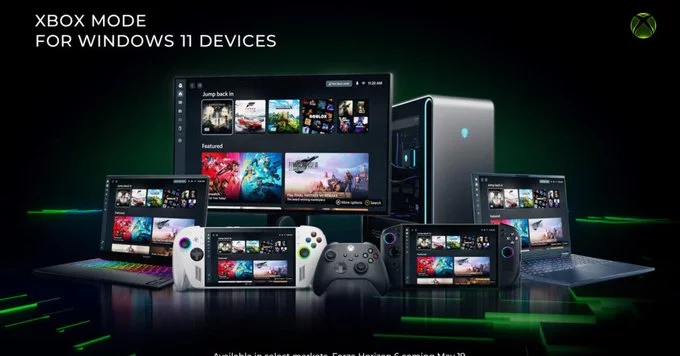
Microsoft’s Xbox mode is now available for all Windows 11 PCs. This built-in feature, officially called the Xbox Game Bar, turns your computer into a gaming hub without needing extra hardware. It gives you quick access to game captures, performance tools, and social features – all from a simple overlay.
Why This Matters for Gamers
If you play games on Windows 11, Xbox mode makes your experience smoother and more fun. You can record clips, take screenshots, chat with friends, and even stream gameplay – all without leaving your game. No more alt-tabbing or juggling multiple apps.
Key Features of Xbox Mode
- Game Capture: Record up to 30 seconds of gameplay with a single shortcut (Win + Alt + G).
- Performance Monitor: See your FPS, CPU, and GPU usage in real time.
- Social Panel: Chat with Xbox friends, see who’s online, and send invites.
- Spotify Integration: Control music directly from the overlay.
- Widgets: Add tools like a timer, achievements tracker, or gallery.
How to Enable Xbox Mode on Windows 11
Getting started is easy. Follow these steps:
- Press Win + G on your keyboard to open the Xbox Game Bar.
- If it doesn’t open, go to Settings > Gaming > Game Bar and toggle it on.
- Customize your widgets by clicking the widget menu icon.
- Pin your favorite tools (like the performance monitor) for quick access.
That’s it. You now have Xbox mode ready to use on any Windows 11 PC.
Tips to Get the Most Out of Xbox Mode
Here are a few insider tips to boost your gaming experience:
- Use keyboard shortcuts: Win + Alt + R starts recording; Win + Alt + Print Screen takes a screenshot.
- Enable background recording: In Game Bar settings, turn on “Record in the background” to capture epic moments after they happen.
- Check game compatibility: Most PC games work, but some older or non-Microsoft Store games may need manual adding.
- Adjust performance widgets: Pin the FPS counter to see if your settings are too high or low.
Xbox Mode vs. Third-Party Tools
You might wonder if Xbox mode replaces tools like OBS or GeForce Experience. For basic capture and social features, it’s a great lightweight option. But if you need advanced streaming or editing, dedicated software still wins. Xbox mode is perfect for casual gamers who want simplicity.
Microsoft’s Xbox mode for Windows 11 is a free, easy-to-use tool that improves your gaming sessions. Whether you’re recording a win, checking performance, or chatting with friends, it’s all a keyboard shortcut away. Try it today and see how it fits your setup.














Comment