
Alerts
-
3 minutes, 40 seconds
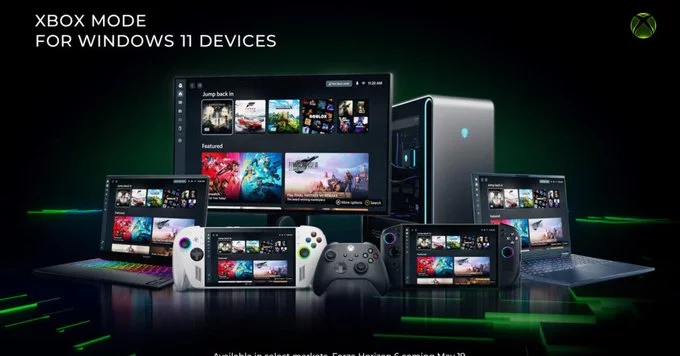
Microsoft’s Xbox mode is now available for all Windows 11 PCs. This built-in feature, officially called the Xbox Game Bar, turns your computer into a gaming hub without needing extra hardware. It gives you quick access to game captures, performance tools, and social features – all from a simple overlay.
If you play games on Windows 11, Xbox mode makes your experience smoother and more fun. You can record clips, take screenshots, chat with friends, and even stream gameplay – all without leaving your game. No more alt-tabbing or juggling multiple apps.
Getting started is easy. Follow these steps:
That’s it. You now have Xbox mode ready to use on any Windows 11 PC.
Here are a few insider tips to boost your gaming experience:
You might wonder if Xbox mode replaces tools like OBS or GeForce Experience. For basic capture and social features, it’s a great lightweight option. But if you need advanced streaming or editing, dedicated software still wins. Xbox mode is perfect for casual gamers who want simplicity.
Microsoft’s Xbox mode for Windows 11 is a free, easy-to-use tool that improves your gaming sessions. Whether you’re recording a win, checking performance, or chatting with friends, it’s all a keyboard shortcut away. Try it today and see how it fits your setup.








Comment