Alerts

-
5 minutes, 10 seconds
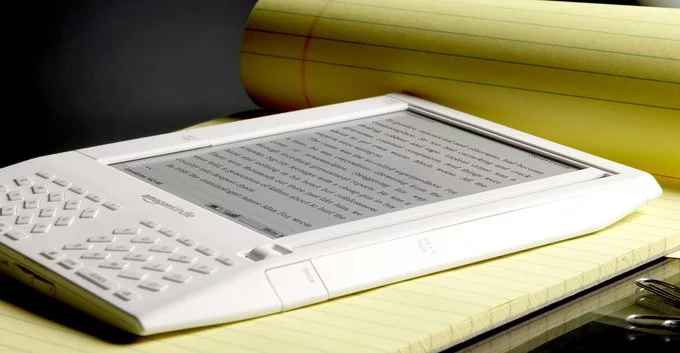
Kindle support ends soon for older devices, leaving many users wondering what happens next. Starting May 20, Kindle and Kindle Fire models released in 2012 or earlier will lose access to the Kindle Store. This means you won’t be able to browse, purchase, or download new books directly on those devices. However, existing content won’t disappear. If you still rely on an older Kindle, here’s exactly what this change means and how to adapt without losing your reading experience.
Amazon’s decision to end Kindle support for aging devices reflects a broader shift toward modern hardware and updated software ecosystems. Devices released over a decade ago often lack the processing power and security features required to support newer services. Maintaining compatibility for outdated systems can slow innovation and introduce vulnerabilities.
By phasing out support, Amazon can focus on improving performance, security, and features for newer Kindle models. While this move may feel inconvenient, it aligns with how most tech companies handle legacy hardware. Over time, older devices simply struggle to keep up with evolving digital platforms.
When Kindle support ends, the biggest change is the loss of direct Kindle Store access on affected devices. You won’t be able to browse the store, buy new books, or download purchases directly from your Kindle or Kindle Fire.
However, your existing library remains safe. Books you’ve already downloaded will still be accessible, and you can continue reading them without interruption. In some cases, users may still transfer purchased books manually from another device, though this process is less convenient than direct downloads.
This shift mainly affects how you acquire new content—not your ability to enjoy what you already own.
The change targets Kindle and Kindle Fire devices released in 2012 or earlier. These include some of the earliest e-readers and tablets that helped popularize digital reading.
If your device is over a decade old, there’s a high chance it falls into this category. Users who are unsure can check their device model in settings or compare it with release timelines. Newer Kindle devices, including recent Paperwhite and Oasis models, are not affected and will continue to receive full support.
Even as Kindle support ends, there are simple ways to keep your reading habits intact. One option is to upgrade to a newer Kindle device, which ensures continued access to the Kindle Store and the latest features.
Another option is to use the Kindle app on smartphones, tablets, or computers. This allows you to purchase and download books, then sync them across supported devices. It’s a practical workaround for users who aren’t ready to upgrade their hardware.
You can also back up your existing library to ensure you always have access to your favorite titles. Taking these steps early can help avoid disruptions once support officially ends.
Kindle support ending for older devices highlights how quickly technology evolves. While early Kindle models played a key role in shaping digital reading, today’s expectations demand faster, more secure, and feature-rich experiences.
For Amazon, this transition opens the door to innovation—whether through improved displays, longer battery life, or enhanced reading tools. For users, it’s a reminder that even reliable gadgets eventually reach their limits.
Still, the core appeal of Kindle remains unchanged: convenient, accessible reading anytime, anywhere. And with a few adjustments, that experience can continue seamlessly—even as older devices fade out.










Comment