
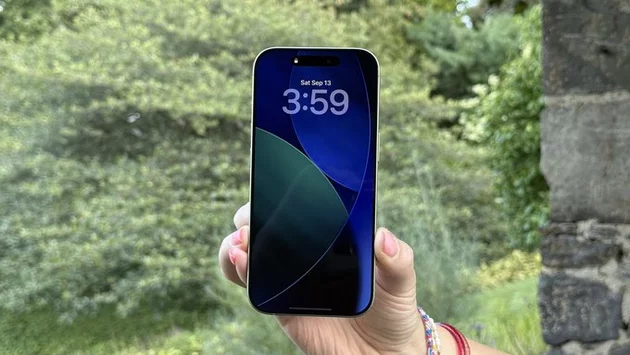
Apple’s latest iOS 26.2 update brings a subtle but highly useful tweak to iPhone notifications. Users often rely on sounds and vibrations to catch alerts, but now Apple has added a visual cue that ensures messages never go unnoticed. With this new feature, your iPhone can flash the screen or LED whenever a notification arrives. This enhancement is part of a broader update that improves accessibility and customizability for iPhone users.
The new flash alerts in iOS 26.2 work by briefly illuminating your phone’s display or the rear LED camera light. Once enabled, the feature triggers a full-brightness flash whenever a notification arrives, whether it’s a text message, app alert, or system notification. This can be especially helpful in noisy environments or for users who may have difficulty hearing traditional alerts.
Activating flash notifications is straightforward. Navigate to Settings > Accessibility > Audio & Visual, and toggle on Flash for Alerts. From there, you can customize whether you want just the screen to flash, the LED to blink, or both. Apple has made it easy to adjust this setting to fit personal preferences, giving users more control over how they receive notifications.
While initially an accessibility feature, the flash alerts have benefits for everyone. iPhone users often juggle multiple notifications throughout the day, and a quick visual cue ensures you don’t miss critical messages. For those with hearing impairments or in loud settings, this feature can be a game-changer, providing an extra layer of assurance that nothing important slips through.
The flash alerts complement other iOS 26.2 improvements, including enhanced notification summaries, focus modes, and smoother app interactions. Apple continues to blend functionality and accessibility, making everyday interactions on the iPhone smarter and more intuitive. Flash notifications now join sound, haptic feedback, and banners as multiple ways to stay informed.
Users can fully tailor the flash alerts to match their daily routines. For instance, during meetings or quiet hours, the LED can remain off while the screen flashes subtly. Conversely, if you’re in a busy, noisy environment, combining screen and LED flashes ensures alerts grab attention immediately. iOS 26.2’s flexibility means notifications are not just seen—they’re noticed.
Although seemingly minor, the addition of flash notifications reflects Apple’s ongoing focus on accessibility and user convenience. By combining visual, audio, and haptic alerts, iOS ensures that users stay connected without missing critical updates. It’s a small feature with a big impact, reinforcing Apple’s commitment to a seamless, customizable iPhone experience.
iOS 26.2’s flash alerts may not make headlines like major system redesigns, but they represent the kind of thoughtful enhancement that can improve daily life. Whether for accessibility, convenience, or just peace of mind, this feature ensures notifications are impossible to overlook. If you haven’t explored it yet, enabling flash notifications might just change how you interact with your iPhone.

𝗦𝗲𝗺𝗮𝘀𝗼𝗰𝗶𝗮𝗹 𝗶𝘀 𝘄𝗵𝗲𝗿𝗲 𝗽𝗲𝗼𝗽𝗹𝗲 𝗰𝗼𝗻𝗻𝗲𝗰𝘁, 𝗴𝗿𝗼𝘄, 𝗮𝗻𝗱 𝗳𝗶𝗻𝗱 𝗼𝗽𝗽𝗼𝗿𝘁𝘂𝗻𝗶𝘁𝗶𝗲𝘀.
From jobs and gigs to communities, events, and real conversations — we bring people and ideas together in one simple, meaningful space.




Comments