
-
2 minutes, 9 seconds
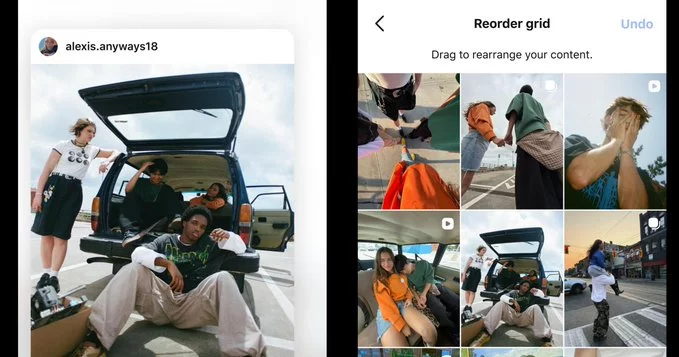
Instagram is rolling out a long-awaited feature that allows all users to manually rearrange their profile grid. This update means you can now drag and drop posts to change the order they appear on your profile, giving you full control over your visual story.
To reorganize your profile grid, follow these simple steps:
This feature works for both personal and business accounts, making it easy to highlight your best content, promote a product launch, or create a cohesive aesthetic.
Your profile grid is often the first thing visitors see. A well-organized grid can boost engagement, improve brand perception, and increase follower growth. Here’s why you should care:
To get the most out of this new feature, try these expert tips:
Is this feature available to everyone? Yes, Instagram is rolling it out globally to all users, including both iOS and Android devices.
Does reorganizing affect my post analytics? No, rearranging posts does not change likes, comments, or reach data. It only changes the visual order on your profile.
Can I undo changes? Yes, you can always go back and rearrange again. There is no limit to how many times you can edit.
Instagram’s profile grid reorganization is a game-changer for anyone serious about their online presence. By taking control of your grid, you can present your content exactly how you want, drive more engagement, and leave a lasting impression on visitors. Start experimenting with your layout today and see the difference it makes.

2.5K articles

1.4K articles

34 articles

28 articles














Comment