Alerts

-
1 minute, 44 seconds
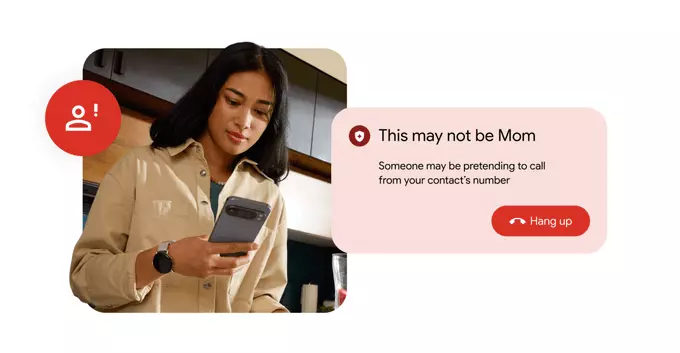
Google's Phone app now tells you if a scammer is impersonating one of your contacts. This new feature uses AI to detect suspicious call patterns and warns you in real time, so you don't fall for clever phone scams that pretend to be a friend, family member, or colleague.
The app analyzes call metadata and voice patterns (if you opt in) to spot inconsistencies. For example, if a caller claims to be your mom but the number is unfamiliar, the app flags it. Here's what happens:
Phone scams are on the rise, and impersonation attacks are especially dangerous because they exploit trust. Google's tool adds a layer of protection, helping you avoid sharing personal info or sending money to fraudsters.
Imagine you get a call from someone sounding like your boss, asking for an urgent wire transfer. Without the alert, you might comply. With Google's scam detection, you'd see a warning: "Suspicious caller – may be impersonating a contact." You'd then verify with your boss directly.
To use this security tool, you need:
Go to Settings > Spam and Call Screen > Enable Scam Detection.
Even with Google's help, follow these best practices:
Google's update is a powerful ally, but your caution is the best defense.









Comment