Alerts

-
5 minutes, 26 seconds
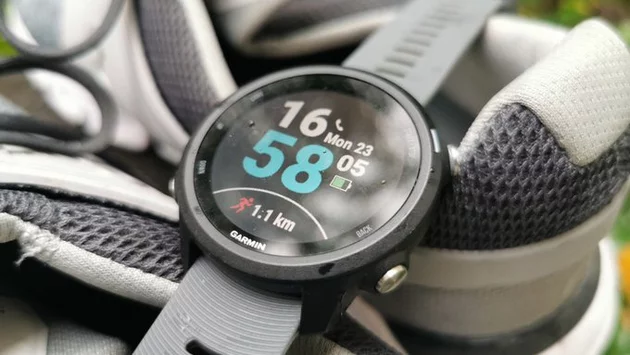
Garmin Connect is widely known for its detailed health and fitness tracking, but many users overlook one of its most practical tools: gear tracking. While most of us focus on metrics like heart rate, pace, or stress scores, the Gear tab quietly helps you monitor the mileage and lifespan of running shoes, bikes, and other fitness equipment. For runners and cyclists, this feature can make a real difference in avoiding injuries and getting the most out of every piece of gear.
After recently exploring Garmin’s Lifestyle Logging feature—which tracks habits like morning caffeine, heavy meals, or cold showers—I stumbled back into the Gear tab. Surprisingly, it had been almost two years since I last looked at it. What I found was an incredibly useful tool I had mostly ignored.
The Gear tab in Garmin Connect allows you to catalog your equipment by type—running shoes, bikes, or other gear. You can add details such as brand, model, maximum distance, and even assign the gear to specific activity types. Once set up, Garmin automatically logs the usage for each item, notifying you when it’s time to retire a shoe or service a bike.
This means no more guessing when your shoes have worn out or your bike needs maintenance. For runners, tracking shoe mileage is critical to prevent injuries caused by worn-out cushioning. Cyclists benefit similarly, ensuring they rotate or service gear at the right intervals.
Many Garmin users focus solely on activity metrics, overlooking how equipment affects performance. Tracking your gear provides context to your workouts: a spike in fatigue or slower pace might be linked to overused shoes or a worn bike chain. The Gear tab adds this layer of insight, turning Garmin Connect from a data tracker into a comprehensive training assistant.
I was initially skeptical about revisiting the Gear tab, but logging my old running shoes and current bike revealed patterns I had never noticed before. For instance, a pair of shoes I thought were fine was actually nearing the end of its recommended mileage. By replacing them on time, I could prevent strain and improve overall performance.
Getting started is simple. Open Garmin Connect and navigate to the Gear tab. Choose your gear category, input the brand and model, and set a maximum distance. Assign the gear to the activities you use it for, and Garmin does the rest. You’ll receive notifications when your equipment approaches its limit, making gear management effortless.
Beyond maintenance, this feature can also help budget-conscious athletes track when to upgrade gear, avoiding unnecessary spending on items still in good condition. Over time, your gear history becomes a valuable log of your training journey, offering insights into how different shoes or bikes influenced performance.
Despite its utility, the Gear tab rarely gets mentioned in Garmin marketing or online forums. Many users are unaware it exists, focusing instead on heart rate trends, sleep tracking, or stress analysis. Yet, it’s a simple tool that can prevent injuries, save money, and enhance training efficiency.
Revisiting Garmin Connect’s gear tracking has reminded me that sometimes the most valuable features aren’t the flashy new additions—they’re the overlooked tools quietly supporting your fitness journey. For anyone serious about running, cycling, or overall performance, the Gear tab is worth exploring.
Garmin Connect is more than a stats collector—it’s a comprehensive fitness companion. Gear tracking may seem minor, but it has a big impact on performance, safety, and longevity of your equipment. Rediscovering this feature has made me fall back in love with Garmin Connect, proving that even small tools can deliver big results.







Comment