Alerts

-
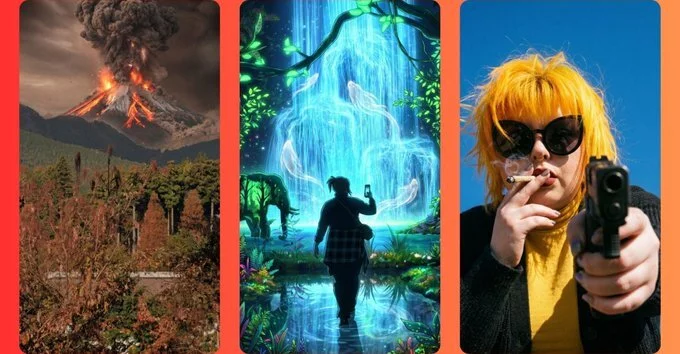
AI image tools rarely make users feel like part of the creative process. They are typically designed for people with no design experience to type a few words and get a usable result. However, Adobe's latest take on an AI image assistant offers a different approach. The Firefly AI Assistant (currently in beta) is a conversational bot designed to take away busywork while still granting creative control.
Unlike AI generators that make and edit images or video directly, Adobe's Firefly AI Assistant acts as a multitasking middleman. It can operate Adobe's design apps for you. According to Adobe, you can simply “tell Firefly AI Assistant (beta) what you need, and it will use tools from apps like Photoshop, Illustrator, and more to complete multistep projects in moments.”
The user interface resembles a typical chatbot. You will find a text box for typing prompts and a plus symbol for uploading media files. The assistant does not use the actual Adobe apps on your computer, but it has access to common capabilities like masking, object detection, and image generation. Because it is designed to be conversational, you can ask the chatbot to “make this photo more colorful,” and it will comply while explaining its actions.
During testing, the AI produced convincing results at a glance. It changed hair color in one photo and altered the background location and lighting in another. The results were not perfect. Some had colors that were too vivid, and other alterations had not been properly blended into their surrounding environments. However, the average person would likely not assume the results were made or manipulated with AI. They simply look like the work of a novice designer.
What makes the Firefly AI Assistant intriguing is its interaction style. When given a picture of a cat by a window and asked to make the sky cloudless and sunny, the chatbot did not simply comply. It described the scene in the pre-edited image with surprising detail. It correctly identified the cat as a Maine Coon despite the photo mostly showing its back. The bot then explained how it would achieve the requested results, mentioning specific tools from Photoshop and Lightroom using established editing terminology. While users do not see the image being edited in real time, the chatbot explains which features it is using to achieve each result.
The Firefly AI Assistant is surprisingly forthcoming about its limitations. When asked to separate objects from a JPG file into separate layers, it admitted it could not do so. However, it offered two different courses of action for splitting the image into separate elements, explaining the pros and cons of both. After a choice was made, the bot described its editing process, including when something was not working. “I notice the gaussian blur approach isn’t giving me true transparent cutouts — it’s outputting full-image PNGs,” it wrote. The chatbot then redirected itself and used masks and Adobe's image cropping and resizing tool instead.
Users can ask the chatbot to add new objects into images, similar to Photoshop's Generative Fill or Google's Magic Editor. It did not hesitate to add cigars, hand-rolled cigarettes, and even guns to photographs, but it refused to generate anything outright illegal. The results for these edits are visually subpar compared to lighting adjustments, but they are not outright bad. The assistant also refused to alter the shape or size of faces and bodies or put subjects in revealing clothing.
Canva recently launched its own conversational design agent. It also communicates through flowery language and infantilizing praise. However, it does not explain its working process like Adobe's chatbot does. The results from Canva did not hold up to what Adobe's tool produced. With the Canva assistant, users simply give instructions and keep prompting until they are happy with the outcome. For those willing to learn, Adobe's tool may help demystify design and editing basics while delivering on requests.
Adobe is pitching this Firefly assistant as a means to save creative professionals time by undertaking labor-intensive tasks. For users with middling editing skills, the chatbot may not be useful unless they are happy to pump out sub-quality work. However, for individuals who want to make edits that would not otherwise be worth their time, the tool has clear appeal.

2.8K articles

1.6K articles

34 articles

28 articles













Comment