Windows Control Panel Phase-Out Explained
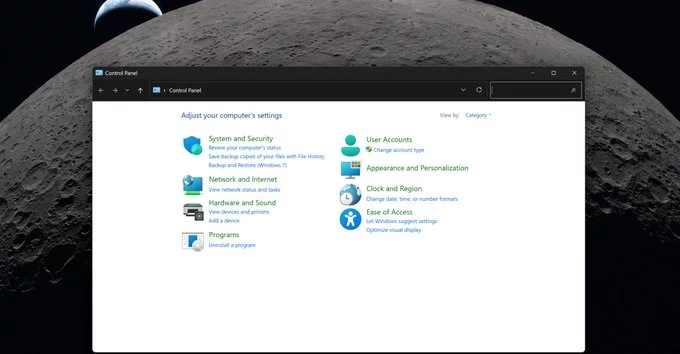
Searching why the Windows Control Panel is still around or when it will disappear? The answer comes down to technical complexity, legacy systems, and compatibility challenges. Microsoft has been gradually replacing the classic Windows Control Panel with the modern Settings app, but progress has been slower than many expected. A major reason lies in deep system dependencies like printer and network drivers that still rely on older frameworks.
Why Microsoft Is Replacing the Control Panel
The shift away from the Control Panel began as part of a broader modernization of Microsoft Windows. The newer Settings app is designed to be more user-friendly, touch-optimized, and consistent across devices. It aligns with Microsoft’s long-term vision of simplifying system management for both everyday users and enterprise environments.
However, the Control Panel wasn’t built overnight—it’s a product of decades of layered features and backward compatibility. Replacing it isn’t just about redesigning menus; it involves reworking how core system functions interact behind the scenes. This makes the transition far more complex than a simple UI update.
The Hidden Challenge: Legacy Drivers
One of the biggest roadblocks slowing down the phase-out is legacy hardware support. Printer and network drivers, in particular, still depend heavily on older Control Panel frameworks. These drivers were developed over many years, often by third-party manufacturers, and rewriting them for the new Settings system isn’t always straightforward.
Many businesses and users still rely on older hardware that functions perfectly fine but hasn’t been updated for modern APIs. Removing Control Panel support too quickly could break these devices, leading to major usability issues. That’s a risk Microsoft is clearly trying to avoid.
Why the Transition Feels So Slow
From a user perspective, the coexistence of Control Panel and Settings can feel messy. Some settings are duplicated, while others are split between the two interfaces. This inconsistency has been a common complaint among Windows users.
The slow pace, however, is intentional. Microsoft is prioritizing stability over speed, ensuring that each migrated feature works seamlessly before removing its Control Panel counterpart. This cautious approach helps prevent system errors and maintains trust among enterprise users who depend on Windows for critical operations.
What Has Already Changed
Despite the gradual rollout, significant progress has been made. Many common settings—such as display, sound, and updates—have already been fully transitioned to the Settings app. Over time, more advanced options, including network configurations and device management, are also being migrated.
Microsoft has also been refining the Settings experience with cleaner layouts, improved search functionality, and better integration with cloud-based services. These updates are part of a broader effort to make Windows more intuitive and future-ready.
What This Means for Windows Users
For everyday users, the impact is mostly positive, even if the transition feels incomplete. The Settings app is easier to navigate and better suited for modern devices, including laptops and tablets. Over time, users can expect a more unified experience with fewer overlapping tools.
For advanced users and IT professionals, however, the Control Panel still serves as a familiar and powerful tool. Until all legacy dependencies are resolved, it will remain an essential part of Windows. This dual-system approach may not be perfect, but it ensures reliability during the transition.
The Future of the Windows Control Panel
The eventual removal of the Control Panel seems inevitable, but it won’t happen overnight. Microsoft is taking a careful, phased approach to avoid disrupting users and breaking compatibility with older systems. Once key dependencies like printer and network drivers are fully modernized, the final step will likely come quickly.
Until then, the Control Panel remains a reminder of Windows’ long evolution—and the challenges of modernizing a platform used by billions worldwide.











Comment