
Alerts
-
1 minute, 41 seconds
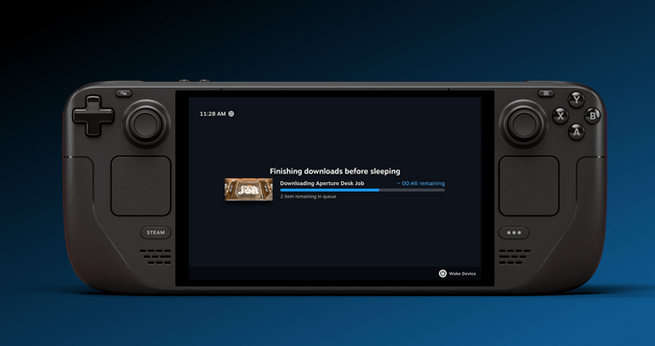
Valve will finally turn off the Steam Deck’s screen while it’s downloading games, thanks to a new low-power mode now in testing. For players who frequently update large titles, this update answers a long-requested feature: letting downloads continue without leaving the display on. The handheld will finish active downloads, then safely shift into sleep mode. This change boosts battery efficiency, reduces heat, and helps protect the device — a win for power users and casual fans alike.
Valve’s decision follows years of feedback from Steam Deck users frustrated by having to keep the display active during downloads. Previously, users risked overheating or unnecessary battery drain while updating big games. With this low-power display-off mode, the Deck can now handle downloads more safely and efficiently before going to sleep automatically.
To try Valve’s new “display-off low-power mode,” simply update your Steam Deck to the latest Beta or Preview build. Once active downloads are complete, the handheld will auto-sleep to protect battery and prevent overheating — ideal for large patches or new AAA installs.










Comment