
Alerts
-
5 minutes, 19 seconds
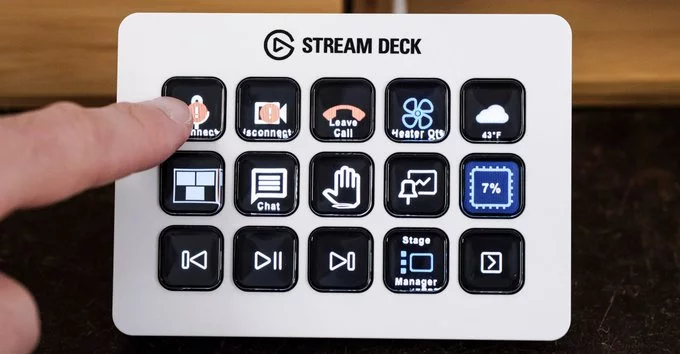
AI automation is becoming more practical for everyday creators, and the latest Stream Deck 7.4 update pushes that trend further. Users searching for how AI can control Stream Deck buttons, what MCP support means, and whether Elgato’s Stream Deck now works with advanced AI tools will find clear answers here. The update introduces a system where connected AI assistants can trigger actions directly on a Stream Deck, reducing manual clicks and speeding up workflows for streamers, editors, and productivity users.
The Stream Deck 7.4 update introduces deeper integration between physical shortcut keys and artificial intelligence systems. Instead of relying only on manual presets, users can now let AI assistants interpret commands and execute them through Stream Deck profiles. This means tasks like launching apps, switching scenes, or triggering macros can be partially automated through contextual AI decisions. For creators, this reduces repetitive setup work and allows faster transitions during live production. It also makes Stream Deck devices more adaptive, learning how users interact with workflows and responding in real time. The update is especially useful for professionals who manage complex setups across streaming, editing, or multitasking environments.
MCP support acts as the bridge between AI tools and Stream Deck hardware, allowing structured communication between systems that previously operated separately. With this integration, AI models can send precise instructions that map directly to Stream Deck buttons or actions. This makes automation more reliable, as commands are no longer interpreted loosely but follow a standardized protocol. Users benefit from reduced latency and fewer errors when executing complex workflows. It also opens the door for developers to build custom AI-driven extensions that respond to user behavior in real time. For example, an AI assistant could detect editing patterns and automatically assign shortcuts to Stream Deck keys based on current tasks. This level of connectivity brings Stream Deck closer to a fully adaptive control surface for digital workspaces.
Creators, developers, and professionals can use the Stream Deck 7.4 update in a wide range of practical scenarios. Streamers can switch scenes, mute microphones, and trigger overlays using AI-assisted shortcuts without interrupting their flow. Video editors can automate timeline navigation, apply effects, or export projects with a single button press enhanced by AI logic. Office users benefit from faster access to communication tools, file organization, and meeting controls. The MCP-powered integration also allows teams to build shared workflows where Stream Deck setups adapt to different roles. Instead of static button assignments, workflows become dynamic and context-aware. This flexibility reduces cognitive load and helps users focus more on creative or strategic tasks rather than repetitive controls. As adoption grows, Stream Deck devices may become central hubs for AI-assisted productivity across multiple industries.
Looking ahead, the Stream Deck 7.4 update signals a shift toward more intelligent hardware ecosystems where AI is not just an assistant but an active controller of creative tools. For creators in 2026, this means faster workflows, fewer manual steps, and more time spent on meaningful output. As MCP support expands, Stream Deck devices are likely to evolve into essential interfaces for AI-driven production environments, blending human creativity with automated precision in everyday digital work.
P6 expands perspective on adoption and workflow impact. Overall, the Stream Deck 7.4 update reflects how AI is becoming embedded in everyday hardware, enabling smoother interactions between users and their tools. It also highlights the growing role of adaptive interfaces that reduce friction and allow creators to focus on output rather than configuration, marking a shift toward intelligent control systems in modern digital workflows while also improving scalability for complex creative and professional environments across industries especially as automation becomes mainstream.










Comment