What Is Samsung’s Latest Storage Breakthrough?
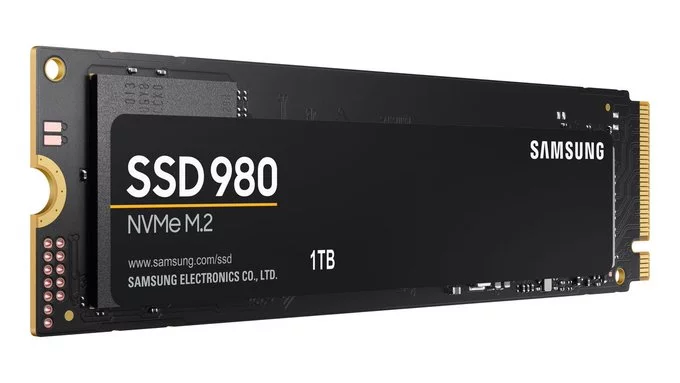
Samsung’s latest storage breakthrough moves virtualization inside SSDs, making data processing faster and more secure than ever. Instead of relying on the computer’s main processor to handle virtual tasks, this new SSD technology does the work inside the drive itself. This means less lag, better energy use, and stronger protection for your data.
How Does In-SSD Virtualization Work?
Normally, virtualization—creating multiple virtual machines or environments—requires heavy work from the CPU and RAM. Samsung’s innovation lets the SSD handle these tasks on its own. The drive uses its own built-in controller and memory to run virtual functions, freeing up the main system for other jobs.
Key Benefits of This Technology
- Faster performance: Data doesn’t have to travel between the CPU and SSD as often, reducing delays.
- Better security: Virtual tasks stay inside the drive, making it harder for hackers to access sensitive information.
- Lower power use: Offloading work from the CPU saves energy, which is great for laptops and data centers.
- Improved multitasking: Your computer can run more apps smoothly without slowing down.
Why This Matters for Everyday Users
If you use cloud apps, edit videos, or run multiple programs at once, this breakthrough can make your device feel snappier. For businesses, it means lower costs and stronger data protection. Samsung’s move could change how all future SSDs are designed.
Real-World Examples
Imagine a server running dozens of virtual machines for different customers. With traditional SSDs, the CPU gets overloaded. With Samsung’s new drive, each virtual machine runs almost independently, with less strain on the main processor. This leads to faster response times and fewer crashes.
What’s Next for SSD Technology?
Samsung plans to release this drive for enterprise customers first, but consumer versions may follow. Experts believe this will push other storage makers to add similar features. In the future, your SSD might not just store files—it could act like a mini computer inside your computer.
Tips for Getting Ready
- Check your current SSD: If you use a lot of virtual machines, upgrading could boost your workflow.
- Watch for announcements: Samsung will likely showcase this at tech events like CES or Computex.
- Consider security: In-SSD virtualization adds a hardware-level barrier against malware.
Samsung’s latest storage breakthrough moves virtualization inside SSDs, marking a big step forward for speed, efficiency, and safety. Whether you’re a tech enthusiast or a business owner, this innovation is worth watching.












Comment