Nintendo Switch 2 USB-C limitations: Why third-party docks won’t work
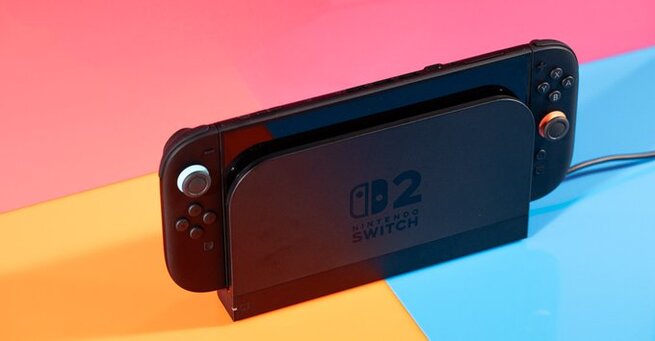
If you’ve been wondering why third-party docks for the Nintendo Switch 2 are nearly nonexistent, it’s because Nintendo has intentionally restricted USB-C compatibility on its new console. While USB-C is typically known for its universal functionality, Nintendo has added an extra layer of encryption to the Switch 2’s port—effectively locking out most third-party accessories. This means even trusted brands like Jsaux have paused development on Switch 2 docks due to these restrictions. This has caused frustration among gamers looking for affordable and travel-friendly alternatives to the official dock.
Nintendo Switch 2 USB-C encryption explained
Unlike other gaming handhelds or laptops, the Switch 2 doesn’t follow the standard USB-C to HDMI protocol. Instead, accessory makers report that Nintendo has embedded a proprietary encryption chip inside the dock or console. When tested with a USB-C PD analyzer, the Switch 2 showed non-standard communication behavior, deviating from what you'd expect with universal USB-C ports. This encryption appears to be deliberate, not a technical oversight. The result? Unless a third-party accessory contains Nintendo’s proprietary tech, it simply won’t work.
Why third-party Switch 2 docks are delayed
Previously, some speculated that higher voltage requirements were the problem. But now it’s clear: Nintendo's restrictions go beyond power supply. Accessory makers like Jsaux have confirmed to tech reviewers that they've halted Switch 2 dock production until they can fully reverse-engineer or license the necessary encryption protocol. For gamers, this means being stuck with the bulky official dock, especially during travel, which was something many hoped USB-C compatibility would solve this generation.
How USB-C docking should work—but doesn’t on Switch 2
Under normal circumstances, USB-C devices use a standardized handshake to output video to external displays. Whether it’s a laptop, tablet, or Steam Deck, plugging in a USB-C to HDMI adapter should just work. But the Nintendo Switch 2 is an exception to this rule. Its USB-C implementation doesn't support typical accessories, effectively breaking the “universal” promise of USB-C. Until Nintendo opens up—or third parties find a workaround—players will have no choice but to stick with the official dock, despite its limitations.











Comment