
Alerts
-
4 minutes, 57 seconds
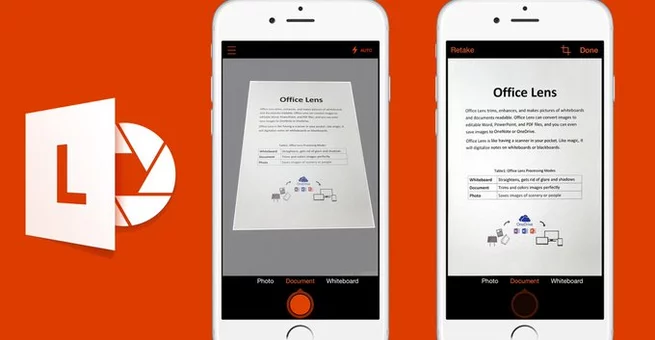
Microsoft Office Lens is officially being retired on iOS and Android, marking the end of a popular mobile scanning app used by millions worldwide. Users searching for why Microsoft Office Lens is shutting down or what replaces Office Lens should know the change is part of a broader app consolidation strategy. Microsoft will stop supporting the app on February 9, 2026, and it will completely stop working after March 9. The company says its core scanning features now live inside OneDrive, making a standalone app unnecessary. For most users, document scanning will continue without interruption. However, the transition does signal a shift in how Microsoft wants people to access productivity tools. This move aligns with Microsoft’s focus on fewer, more powerful apps.
Microsoft confirms that all key Office Lens scanning tools are now available directly within the OneDrive app. Users can scan documents, whiteboards, business cards, and receipts using the same AI-powered capture technology. Files can still be cropped, rotated, enhanced, and converted into Word or PDF formats. OneDrive also allows instant cloud backup, making scanned files accessible across devices. By merging Lens into OneDrive, Microsoft reduces app clutter while keeping functionality intact. The company believes most users already rely on OneDrive for file storage. As a result, the scanning experience becomes more centralized and streamlined.
Microsoft says the decision comes down to redundancy and long-term platform efficiency. Maintaining a separate scanning app no longer made sense once OneDrive gained full document capture capabilities. Over the past few years, Microsoft has been quietly folding features from smaller apps into its core services. This approach helps simplify updates, security, and user support. Office Lens, while popular, overlapped heavily with OneDrive’s growing feature set. Consolidation also allows Microsoft to push innovation faster within fewer apps. For users, it means fewer downloads and a more unified workflow.
Office Lens first launched in 2015, initially arriving on Windows Phone before expanding to iOS and Android. At the time, it stood out for its tight integration with Microsoft Office tools. The app became a favorite among students, professionals, and remote workers who needed quick document scans. It was part of Microsoft’s “mobile-first” strategy during a period of aggressive cross-platform expansion. Office Lens helped redefine mobile document scanning standards. Its retirement marks the end of an era for one of Microsoft’s most successful utility apps.
Users who still rely on Microsoft Office Lens should begin transitioning to OneDrive as soon as possible. Installing or updating the OneDrive app ensures uninterrupted access to scanning tools. Any saved scans in Lens should be backed up or synced before the shutdown date. Microsoft recommends signing in with the same account used in Office Lens for seamless continuity. After March 9, the Lens app will no longer function at all. Making the switch early helps avoid last-minute data issues.
The Office Lens shutdown highlights Microsoft’s broader strategy of ecosystem consolidation. Rather than launching new standalone apps, Microsoft is investing in strengthening core platforms like OneDrive, Microsoft 365, and Copilot. This approach improves performance, security, and user experience across devices. It also reflects changing user behavior toward all-in-one productivity hubs. While some users may miss the simplicity of Office Lens, the functionality itself isn’t going away. Instead, it’s evolving inside a more powerful, unified app ecosystem.










Comment