Google Maps on Garmin Smartwatches Just Got a Big Upgrade
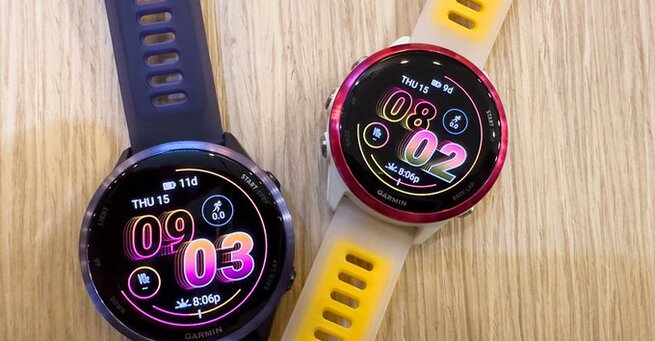
Google Maps on Garmin smartwatches is now officially available, offering turn-by-turn directions for walking, running, and cycling right on your wrist. This long-awaited integration brings helpful navigation features to more than 90 Garmin watch models, making it easier than ever to stay on track during workouts—without pulling out your phone. While the app requires an Android phone and has some limitations, it's a big step toward smarter fitness-focused navigation.
How Google Maps on Garmin Smartwatches Works
Unlike Wear OS smartwatches that offer full Google Maps functionality, Garmin’s version is more streamlined. You’ll need to set your destination through Google Maps on your Android phone, which must remain within range of your watch. Once paired, your Garmin smartwatch will show upcoming turns and gently vibrate before each one, so you’re always aware of where to go—even without glancing at the screen constantly. It’s a smart addition for athletes and outdoor enthusiasts who rely on GPS-based navigation.
Features and Limitations of Garmin’s Google Maps App
The Google Maps app for Garmin isn’t as feature-rich as the standalone Android version. You can’t search or start navigation directly from the watch itself. Instead, it mirrors directions from your connected phone. However, the app does show up to three upcoming turns and continues to track performance data like distance and pace while navigating. Currently, iPhone users are out of luck—this feature only supports Android devices, according to Garmin’s Connect IQ store.
Is It Worth Using Google Maps on Garmin Smartwatches?
For Garmin users who frequently train or travel on foot or bike, this free app can be a game-changer. The integration keeps your hands free and your eyes on the path while maintaining fitness tracking. While it doesn’t fully replace a phone or dedicated GPS unit, having real-time directions delivered to your wrist—complete with vibration alerts—offers unmatched convenience. Just make sure your watch model supports the app, then head to the Connect IQ Store to install it.













Comment