
-
4 minutes, 3 seconds
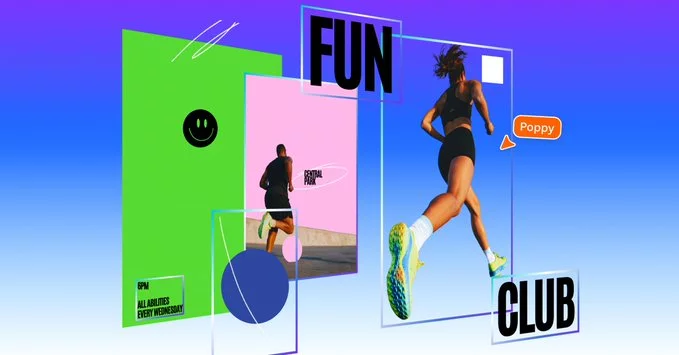
Canva just made editing AI-generated and flat images far easier with its new Magic Layers tool. Launched in public beta across the US, UK, Canada, and Australia, the feature lets users separate objects, text, and graphics within any single-page image. This eliminates the need to start over when only small adjustments are needed, answering a common challenge for creators who rely on AI-generated visuals.
Cameron Adams, Canva’s chief product officer, emphasized that Magic Layers is designed to give true creative freedom. “Generation is just the beginning—real creative freedom comes from being able to edit without losing momentum,” he said, highlighting how this tool changes the way designers interact with AI creations.
Magic Layers works with both AI-generated images and traditional PNG or JPEG files, allowing creators to modify individual elements without affecting the rest of the design. One click separates an image into fully editable layers, making tweaks faster and more intuitive.
For creators, this means less time spent reprompting AI for minor edits. Whether it’s adjusting a background, moving an object, or fine-tuning text, Magic Layers ensures the original layout stays intact. Canva’s focus on layer-based editing addresses a pain point for both novice designers and professional teams who want efficiency without sacrificing flexibility.
While tools like Adobe Photoshop and Adobe Express provide AI-generated layers, they don’t automatically break entire images into editable components. Canva’s approach gives users more manual control, making it easier to adjust even complex designs.
This level of granularity also has implications for AI design authenticity. By allowing small edits without starting from scratch, Magic Layers blurs the line between purely AI-generated images and traditionally crafted designs. For creators aiming to maintain a polished, unique look, this can be a significant advantage.
For social media managers, marketers, and graphic designers, Magic Layers could become a productivity game-changer. Instead of juggling multiple files or manually reconstructing images, users can now make precise changes in seconds.
For example, a marketer could adjust the text on a promotional AI-generated banner or swap an object in an existing design without losing time. This flexibility encourages experimentation and supports rapid iteration, allowing teams to stay ahead in fast-paced creative environments.
Canva is already planning to expand Magic Layers’ capabilities beyond single-page images, suggesting even more advanced AI editing options are on the horizon. As AI tools continue to evolve, features like this are likely to redefine how designers interact with digital visuals, making creativity faster, more efficient, and less constrained by technical barriers.
By bridging the gap between AI generation and hands-on design, Magic Layers reinforces Canva’s commitment to empowering creators with smarter, more flexible tools.

2.5K articles

1.4K articles

34 articles

28 articles














Comment