
-
3 minutes, 1 second

If you're looking for the best apps to stop doomscrolling and get active, you're in the right place. These tools help you break the endless feed-scrolling habit by making movement a requirement before you can open social media, games, or streaming apps. Some even force you to go outside and touch grass!
Doomscrolling isn't just a time-waster. It messes with your posture, hurts your eyes, and leaves you feeling anxious or drained. The apps below flip the script: they reward you for moving, so you stay healthier and more productive.
Digital Carrot blocks distracting apps, websites, and games until you hit your daily fitness, productivity, or screen time goals. It connects to your Apple Watch or other wearables, so you can set personalized targets like walking 6,000 steps a day. You can also create GPS-based challenges, like blocking your apps until you spend 60 minutes at the gym.
Available on iPhone, Android, macOS, Windows, and Linux.
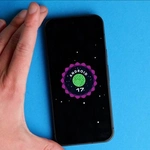
MeBeMe focuses on building better habits. Instead of locking your phone, it sends you notifications to complete missions like doing burpees, connecting with people, or warming up for three minutes. Its “Body” category includes challenges for athletes, dancers, cyclists, and runners.
The app is free on iOS.
StepBloc locks your apps until you walk a certain number of steps you set. You can also link app access to workouts like push-ups, planks, or squats. Once you finish, you unlock Instagram, TikTok, YouTube, or games. It's perfect for offsetting sedentary habits with quick exercise bursts.
StepBloc is free on iOS, with a subscription for unlimited access.
Steppin, created by the founder of Kayak, trades movement for screen time. For every 100 steps you take, you earn one minute of scrolling. You can set your own step goals for social media, streaming, or mobile games.
Available on iOS.
TouchGrass literally makes you go outside and take a photo of grass to unlock distracting apps. It uses computer vision to check the photo, and only real grass counts—not trees or other plants.
The free version lets you lock two apps. Paid plans start at $5.99/month or $49.99/year for more locks. Available on iOS.
WalkLock works with Apple Health to limit app access until you meet your daily step goal. It tracks steps automatically using your iPhone or Apple Watch, and a lockscreen widget shows your progress. Perfect for staying motivated all day.
Available on iOS.
Walkly is the Android version of WalkLock. It locks social media, gaming, and other distracting apps until you walk a set number of steps. The app monitors your activity automatically and unlocks apps when you hit your goal.
Available on Android.
WeWard originally rewarded walking with “Wards”—an in-app currency you can exchange for cash, gift cards, or donations. It now has a “Walking Mode” that lets you restrict app access until you hit specific step counts. Both the goals and locked apps are customizable.
Available on iOS and Android.
These apps turn doomscrolling into a motivation to move. Try one today and feel the difference.

2.5K articles

1.4K articles

34 articles

28 articles










Comment