Alerts

-
8 minutes, 9 seconds
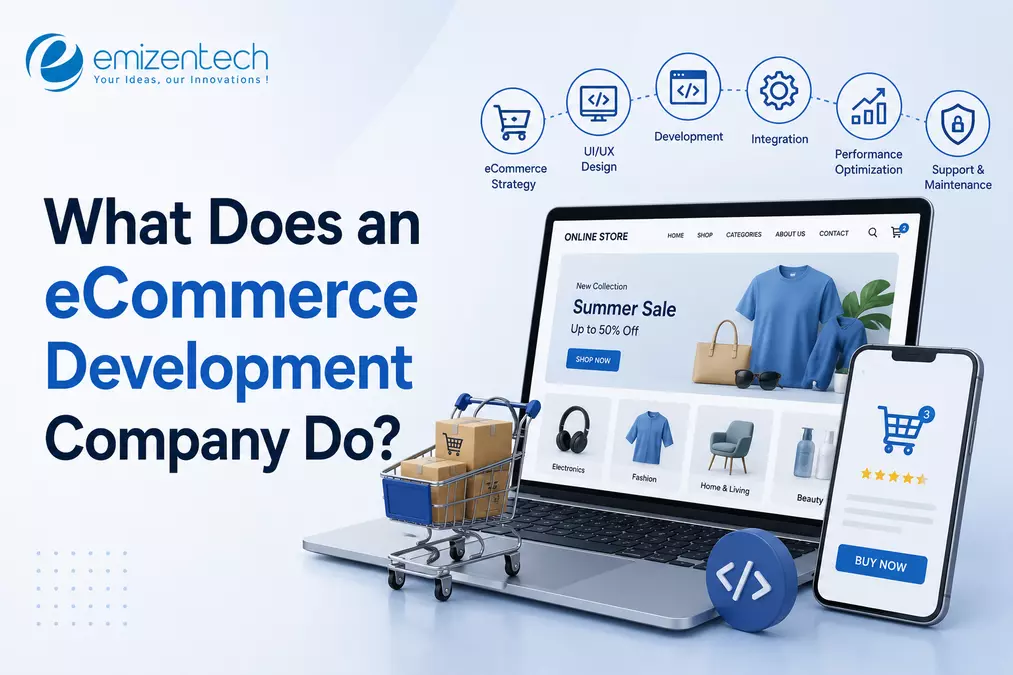
An experienced eCommerce partner helps businesses plan, build, improve, migrate, and maintain online stores. Its work can range from creating a simple storefront to connecting complex systems for inventory, payments, shipping, customer data, and order management. In plain terms, it turns a business’s selling process into a working online experience. That can mean building a new Shopify store. It can mean fixing a slow WooCommerce website. Or it can mean creating a B2B commerce portal with customer-specific pricing, ERP integration, and approval workflows. The work depends on the business. But the goal stays the same: make it easier for customers to find products, trust the store, and complete a purchase.
The services usually go well beyond designing product pages. A good team looks at the customer-facing store and the systems operating behind it. Both matter. A clean website is not much use if stock levels are wrong, payment errors are frequent, or the support team has to fix orders manually.
Before development begins, the team should understand what the business is trying to achieve. That may involve reviewing the current store, identifying technical gaps, selecting a platform, mapping integrations, and deciding what should be built first. This early planning saves time later because it helps separate essential work from ideas that can wait. Same industry. Very different requirements.
Design is not just about choosing colours and placing banners. A store should help customers move from product discovery to purchase without friction. That includes navigation, search, filters, product-page layout, cart behaviour, checkout flow, and mobile usability.
Common design work includes:
Homepage and category-page layouts
Product-page design
Mobile-responsive interfaces
Cart and checkout improvements
Customer account areas
B2B ordering journeys
Marketplace or vendor dashboards
The best design decisions are usually practical. Can customers find what they need? Can they understand the price? Can they check out without confusion? If the answer is no, even a visually polished store can lose sales.
Most businesses use an established eCommerce platform instead of building everything from scratch.
Popular options include Shopify, Shopify Plus, Magento or Adobe Commerce, WooCommerce, BigCommerce, Shopware, PrestaShop, OpenCart, and Salesforce Commerce. Each platform has different strengths, limitations, extension options, and maintenance needs.
Development work may involve:
Theme customisation
Custom plugins, apps, or modules
Product catalogue setup
Payment-gateway integration
Shipping and tax configuration
Custom pricing rules
Subscription or membership features
Marketplace functionality
Multi-language and multi-currency support
A platform should fit the business model. Not every business needs an enterprise system, and not every growing business should rely on a collection of plugins that barely work together.
This is where many projects become more complex.
An online store may need to connect with an ERP, CRM, warehouse system, accounting platform, shipping carrier, marketplace, payment provider, marketing tool, or customer-support system. If those systems do not communicate correctly, the business ends up with manual work, inaccurate data, delayed orders, or unhappy customers.
Typical integration work includes:
Inventory synchronisation
Order-management workflows
ERP and CRM connections
Payment and fraud-prevention tools
Shipping and fulfilment systems
Marketplace feeds
Loyalty and rewards platforms
Email and marketing automation tools
An integration is rarely just a button click. It may require data mapping, custom rules, error handling, testing, and ongoing monitoring.
Not every store needs a large development team.
A small business may manage well with a proven theme, basic apps, and occasional technical help. But there are clear signs that more experienced support is needed.
If small changes keep breaking something else, the store may have technical debt.
This often happens when too many plugins have been added over time, custom code is poorly documented, or platform updates are ignored. A technical audit can help identify what needs to be fixed, replaced, or simplified.
Manual order updates, inventory checks, invoice creation, and customer-data entry may work for a while.
But as sales increase, those tasks become expensive and error-prone. Integrating the store with internal systems can reduce repetitive work and give teams more reliable data.
Migration is a common reason to bring in experienced help.
Moving from one platform to another involves more than transferring products. It can include customer data, order history, images, categories, URLs, redirects, payment setup, search settings, integrations, and SEO checks.
A rushed migration can affect traffic, customer experience, and operations. It needs planning.
A business may outgrow its current setup when it needs B2B pricing, subscriptions, a marketplace, multi-region selling, customer portals, or a more advanced checkout process.
At that point, the question is not just “Can this feature be added?” It is “Can it be added without making the whole store difficult to maintain?”
The cost varies because the scope varies.
A simple theme update and a custom enterprise platform should not be priced in the same way. Businesses should be careful with quotes that look unusually low but do not explain what is included.
Key cost factors include:
Platform choice
Store size and product catalogue complexity
Custom design requirements
Number of integrations
Migration and data-cleanup work
B2B, marketplace, or subscription features
Testing and quality assurance
Launch support and maintenance
The best way to budget is to define the must-have features first. Nice-to-have ideas can be added to a later phase after the store is live and customer feedback is available.
Start with the work you need done.
The right ecommerce development company is easier to identify when a business has clear requirements for its platform, features, integrations, and future growth.
Ask whether the team has worked with your chosen platform and similar business requirements.
If you need a Shopify Plus build, look for relevant Shopify Plus work. If you need a Magento migration or a WooCommerce performance project, ask for examples that match that type of work.
A good provider should be able to explain how the project will move from discovery to launch.
Ask about communication, project tracking, milestone reviews, QA, deployment, change requests, and post-launch support. The answers should be clear and specific.
A portfolio shows what was built. Client reviews can help explain how the project was managed.
Look for feedback about communication, technical skill, timelines, problem-solving, and support. Read reviews from clients with similar project types where possible.
When requesting estimates, send the same brief to each provider.
Then compare:
Scope and deliverables
Team structure
Timeline assumptions
Integration requirements
Testing process
Support after launch
Exclusions and possible extra costs
This gives you a fairer comparison than simply looking at the final number.
Every provider has its own process, but a sensible project generally follows a few stages.
The team learns about the business model, platform, products, customers, current systems, and project goals.
This stage should also identify risks. For example, a planned ERP integration, a large data migration, or a custom checkout requirement may affect the timeline and budget.
Next, the project is broken into practical pieces.
The business should know what is included, what is excluded, what needs approval, and what will be delivered in each stage. A vague scope often creates disputes later, especially when new features appear midway through the project.
Once the scope is agreed, the team starts building.
This may include design work, frontend development, backend configuration, custom functionality, integrations, and content or product-data setup. Regular reviews help ensure the store is moving in the right direction.
Before launch, the store should be tested properly.
That may include product browsing, cart behaviour, checkout, payment methods, shipping logic, forms, customer accounts, mobile devices, browsers, integrations, and site performance.
Testing is not glamorous. It is still one of the most important parts of the work.
Launch is not the end of the project.
A store needs monitoring after it goes live. Customers may use it in unexpected ways. Third-party tools may need adjustments. The team may find opportunities to improve performance, conversion, or operational workflows.
Ongoing support can cover platform updates, security patches, bug fixes, new features, integration monitoring, and performance optimisation.
An eCommerce store is part sales channel, part customer-service tool, and part operational system. The right development partner helps bring those parts together. It should understand the platform, the customer journey, the business systems behind the store, and the practical work needed after launch. That is what good eCommerce development looks like: not just a store that goes live, but one that is easier for customers to use and easier for the business to run.
Yes. Most eCommerce stores can be integrated with payment gateways, CRMs, ERPs, shipping providers, and other third-party tools without rebuilding the store.
There is no single best platform. The right choice depends on the business model, product complexity, budget, integrations, technical requirements, and future growth plans.
Small updates can take a few days, while a new eCommerce store may take several weeks or months. Larger projects usually take longer.
Yes. Platforms, plugins, apps, payment tools, and security requirements change over time. Ongoing maintenance helps keep the store stable, secure, and easier to improve.


8.4K articles

2.8K articles

1.6K articles

34 articles









Comment