Alerts

-
2 minutes, 9 seconds
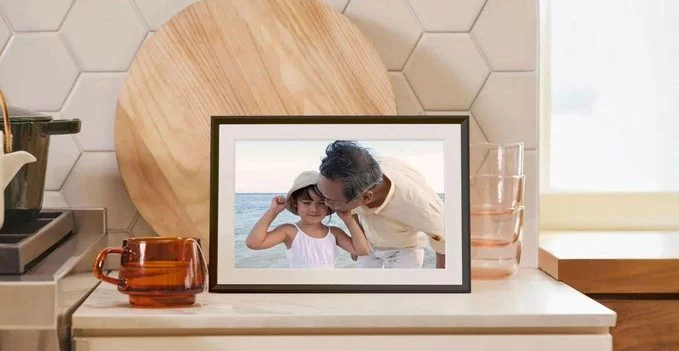
If you own a digital photo frame, you know the struggle: suddenly, photos stop syncing, or the frame shows a blank screen. The latest Google Photos update has solved this problem, making it easier than ever to keep your digital photo frame filled with fresh memories. This update improves compatibility, simplifies sharing, and ensures your frame stays connected without constant troubleshooting.
Google Photos recently rolled out a new feature that directly impacts how photos sync with third-party devices, including digital photo frames. The update focuses on two main areas:
Before this update, many frames struggled with Google Photos due to authentication issues or broken links. Now, the process is smoother and more reliable.
Getting started is simple. Follow these steps to ensure your frame displays your favorite photos automatically:
Pro tip: Use the "Live Albums" feature in Google Photos to automatically add new photos of specific people or pets to your frame without manual updates.
Digital photo frames are meant to be effortless. This Google Photos update eliminates common pain points like:
Now, your frame stays up-to-date with minimal effort, making it a perfect way to enjoy memories at home or share them with family remotely.
Maximize your digital photo frame with these simple strategies:
Popular frames like Aura, Nixplay, and Skylight now work better with Google Photos thanks to this update.
The latest Google Photos update is a game-changer for anyone using a digital photo frame. It solves connectivity issues, enhances reliability, and makes sharing memories effortless. Whether you're a tech novice or a seasoned user, this update ensures your frame stays alive with the moments that matter most.

3.1K articles

2.8K articles

1.6K articles

34 articles










Comment