Surface Laptop 13-inch vs MacBook Air 13-inch: Which One Is Right for You?
If you're deciding between the Surface Laptop 13-inch vs MacBook Air 13-inch, you're not alone. With both models targeting students, creatives, and on-the-go professionals, the choice comes down to a few key differences in performance, design, and ecosystem. In this detailed comparison, we break down what you really need to know—whether you’re switching from macOS to Windows, upgrading from an older model, or buying your first ultraportable laptop.
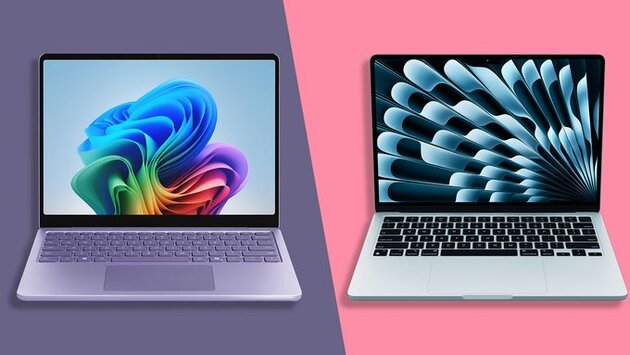
Both the Microsoft Surface Laptop 13-inch (2025) and the Apple MacBook Air 13-inch (M4) aim to deliver powerful performance in slim, lightweight packages. While the MacBook Air remains a fan favorite thanks to its M4 chip and iconic design, the Surface Laptop is Microsoft's strongest contender yet for those who prefer Windows. Let's dive into how they compare across the areas that matter most.
Design & Build: Surface Laptop 13-inch vs MacBook Air 13-inch
When it comes to portability and design, both laptops shine. The MacBook Air 13-inch continues to lead with its premium aluminum build and stunning color options. It’s thin, durable, and simply feels high-end. The Surface Laptop 13-inch, on the other hand, closely mirrors that experience with its sleek, minimal design and vibrant finishes. Microsoft has finally nailed the premium look and feel that many Windows users have been waiting for.
However, one area where Apple still has the edge is port variety and build consistency. While the Surface Laptop looks great, it offers limited port options—something power users might find frustrating. Still, both laptops are extremely portable and perfect for students, travelers, and remote workers.
Performance & Battery Life Compared
Under the hood, the differences become more pronounced. Apple’s M4 chip in the MacBook Air 13-inch delivers blazing-fast performance, especially in creative apps and multitasking scenarios. It’s also extremely power-efficient, giving you all-day battery life on a single charge. That makes it a clear winner for those who value raw power and seamless performance.
The Surface Laptop 13-inch, while capable, can’t quite match the M4’s efficiency and speed. It does offer solid performance for everyday productivity and light creative tasks—but it’s better suited for users who prioritize Windows software compatibility or are locked into the Microsoft ecosystem.
Software & Ecosystem: What Matters More to You?
Choosing between the Surface Laptop 13-inch vs MacBook Air 13-inch often comes down to ecosystem. If you rely heavily on iCloud, iPhone integration, or Apple-exclusive tools like Final Cut Pro or Apple Intelligence, the MacBook Air is a no-brainer. But for users who depend on Microsoft 365, OneDrive, or prefer the Windows experience, the Surface Laptop 13-inch finally offers a Mac-like polish within the Windows world.
Both machines come with excellent support, long software update timelines, and a focus on security. However, Apple’s seamless hardware-software integration gives it a slight advantage in long-term usability and performance consistency.
Verdict: Surface Laptop 13-inch or MacBook Air?
If performance, battery life, and macOS are top priorities, the MacBook Air 13-inch (M4) remains the best choice in this class. It's also more affordable, starting at $849, and delivers industry-leading efficiency. However, the Surface Laptop 13-inch is a fantastic option for Windows fans who want a stylish, capable laptop with excellent battery life and a great keyboard experience.
Ultimately, the Surface Laptop 13-inch vs MacBook Air 13-inch debate comes down to what matters most to you: ecosystem loyalty, performance needs, and budget. Whichever you choose, you’re getting one of the best 13-inch laptops on the market today.














Comment