Alerts

-
3 minutes, 16 seconds
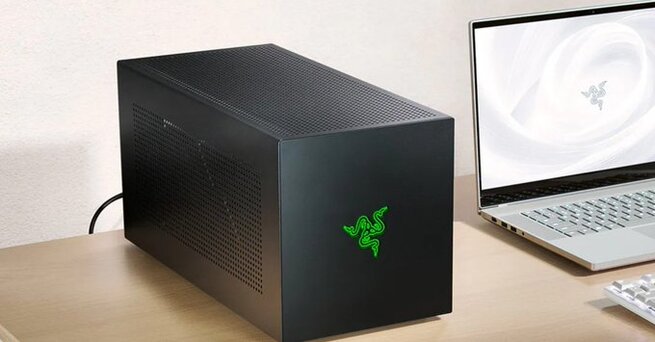
Razer Core X V2 eGPU Brings Thunderbolt 5—but Skips the Essentials
Looking to supercharge your gaming laptop or handheld with desktop-grade performance? The Razer Core X V2 eGPU is here, boasting Thunderbolt 5 support and room for massive GPUs. But before you get too excited, know this: you’ll need to buy your own graphics card, power supply, and even a dock if you want full connectivity. At $350, the Core X V2 might seem like a fair entry point, but once you add all the extras, it becomes a premium investment for power users.
What’s New in the Razer Core X V2 eGPU?
Razer’s latest eGPU chassis supports the newer, faster Thunderbolt 5 standard, offering up to 80 Gbps bandwidth and 140W of power delivery. It’s also roomy enough to house larger four-slot AMD and Nvidia GPUs, giving gamers and creators the flexibility to choose high-end cards. There’s also backward compatibility with Thunderbolt 4, which is useful since Thunderbolt 5-equipped laptops are still relatively rare. The Core X V2 clearly targets future-forward users, but it’s worth noting that the box only includes a Thunderbolt 5 cable and a built-in 120mm fan.
The Missing Pieces: What’s Not Included
Unlike its predecessor—the Core X Chroma, which included an internal power supply—the Razer Core X V2 eGPU makes you bring your own. That means you’ll need a standard ATX PSU capable of powering your GPU, plus extra wattage for the enclosure itself. Additionally, Razer has stripped out the USB and Ethernet ports seen in older models. For users needing peripheral connectivity, a separate Thunderbolt 5 dock—like Razer’s new $390 RGB-lit model—is now a must-have add-on, pushing the total build cost even higher.
Should You Buy the Razer Core X V2 eGPU?
If you’re after top-tier performance and already own high-end components, the Razer Core X V2 eGPU might be worth it—especially for future-proof setups with Thunderbolt 5 support. But for most users, the lack of an included power supply, GPU, or I/O dock makes this a pricey puzzle to piece together. It’s a powerful but incomplete solution that’s best suited for enthusiasts who know exactly what they need and don’t mind paying a premium to build it.










Comment