Alerts

-
2 minutes, 16 seconds
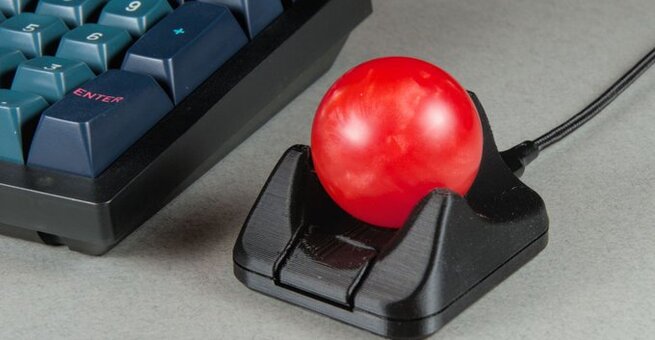
Ploopy’s smallest open-source trackball now includes a button, giving users a versatile addition to the compact Nano 2. The new button comes pre-programmed for drag scrolling but can be customized via the VIA web app to perform clicks, macros, or other commands. This tiny trackball is perfect for split keyboard setups, small workspaces, or anyone looking for precise cursor control.
The Nano 2 is more than just a mini trackball. Its upgraded PAW-3222 sensor offers high-precision tracking with a polling rate above 1,000Hz, while the USB-C port replaces the bulky USB-B connection of the original. These updates make Ploopy’s smallest open-source trackball now a compact powerhouse for productivity, whether you’re scrolling long documents or designing complex layouts.
Yes! All of Ploopy’s peripherals, including the Nano 2, run open-source QMK firmware. You can mod hardware components, change button functions, and adjust the trackball’s behavior using the VIA app. Even though the Nano 2 is sold fully assembled for $59.99 CAD, its open-source nature means you can tweak it endlessly for your exact needs.
Anyone who wants a small, portable, and highly customizable input device will benefit. Ploopy’s smallest open-source trackball now includes a button that can replace or complement a traditional mouse, making it ideal for compact desks, DIY enthusiasts, and those who value ergonomic workflow solutions. Its ease of customization and high-performance sensor make it a standout in the growing mini trackball market.










Comment