Alerts

-
6 minutes, 59 seconds
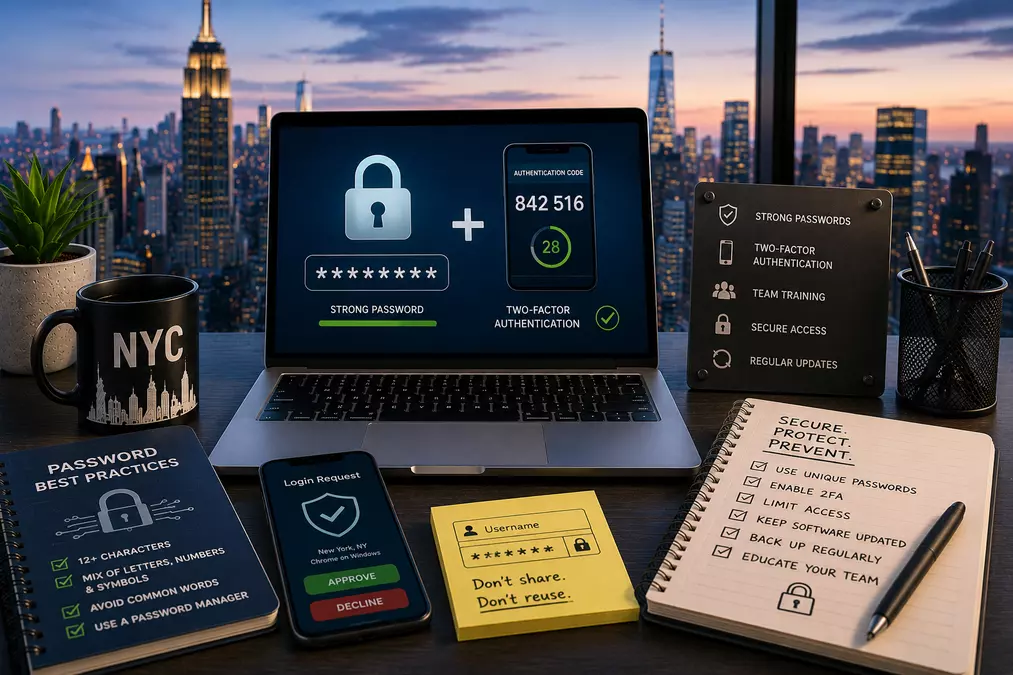
Here's a number worth sitting with before reading any further: nearly 9 in 10 small and mid-sized businesses currently have at least one compromised credential actively circulating on the dark web right now, according to recent credential security research, and most owners have no idea until a breach has already happened. This isn't a hypothetical, future risk. It's very likely a present, unaddressed one, and closing that gap is exactly the kind of practical, low-cost security work worth prioritizing with a software development company in New York businesses trust to help you build genuine protection into your systems, not just add a password field and call it secure.
Compromised credentials remain a leading initial attack vector into small business networks, involved in roughly 22% of all breaches, and Verizon's most recent Data Breach Investigations Report found stolen credentials involved in a striking 88% of attacks against basic web applications specifically. The reason isn't that people are careless in some unusual way; it's that password reuse has become close to universal. A large majority of currently leaked passwords are reused or duplicated across multiple accounts, meaning a single breach at one unrelated service can quietly compromise your business accounts too, if any employee reused that same password anywhere.
The financial stakes are concrete: breaches initiated through compromised credentials average roughly $4.67 million in cost, and take nearly ten months on average to even identify and contain, the longest detection window of any attack type, largely because a valid, stolen credential doesn't look like an attack to most monitoring systems. It looks like a normal login.
Here's where the genuine opportunity sits: roughly two-thirds of small and mid-sized businesses globally don't use multi-factor authentication and have no plans to implement it. This isn't evenly distributed; MFA adoption among businesses with more than 10,000 employees runs close to universal, while businesses with 25 or fewer employees show meaningfully lower adoption. Multi-factor authentication blocks an estimated 99.9% of automated account attacks, making this genuinely one of the highest-return, lowest-cost security investments available to a small business, and the gap between how effective it is and how few small businesses actually use it represents real, current risk sitting unaddressed at a large share of NYC small businesses right now.
This is a genuinely important, currently underappreciated distinction. SMS-based two-factor authentication, a text message code, is better than no second factor at all, but it's the weakest form available. Attackers have developed reliable ways to intercept SMS codes in real time, and SIM-swap fraud (an attacker convincing a carrier to transfer your phone number to their device) remains a documented, ongoing vector specifically targeting this weakness. Federal cybercrime reporting specifically recommends moving from SMS-based verification to authenticator apps or hardware security keys wherever possible.
Authenticator apps (generating a rotating code directly on your device, not sent over the cellular network) close the SMS interception gap meaningfully. Hardware security keys or passkeys go further still, cryptographic authentication tied to a physical device or your device's built-in security, resistant to both interception and the kind of real-time phishing that can trick a user into handing over even a legitimate one-time code.
Major platforms have moved decisively in this direction; Microsoft has begun auto-enabling passkeys across Microsoft 365 as a default, meaning your business's tenant may already have this partially active without anyone having deliberately configured it. This is worth checking directly rather than assuming your current setup is what you last configured it to be. Passwords remain behind an estimated 80% of data breaches, and the practical argument for passkeys is straightforward: they eliminate the reused, phishable password for the accounts that support them, rather than just adding a second, still-imperfect layer on top of a fundamentally weak first one.
Current best-practice guidance has shifted meaningfully from older advice most businesses are still following:
If you take exactly one action from all of this, enable multi-factor authentication, ideally an authenticator app or passkey rather than SMS, starting with email, remote access, and any financial systems specifically. Given how directly MFA blocks the overwhelming majority of automated account attacks, and how few small businesses have actually implemented it, this single step closes more real risk than almost any other security investment available at comparable cost.
Is SMS-based two-factor authentication good enough, or do I need something stronger?
SMS is better than no second factor at all, but it's the weakest option currently available; attackers have documented methods for intercepting SMS codes and hijacking phone numbers specifically. An authenticator app or passkey provides meaningfully stronger protection at similar or lower cost.
Do I really need a password manager for a small team, or is that overkill?
Given how thoroughly manual password management has become untenable at the volume of accounts most businesses now manage, and how directly password reuse contributes to breaches, a password manager is considered standard, non-optional practice by current security guidance regardless of business size.
Should I still make employees change their passwords every 90 days?
Current best practice has moved away from this; mandatory periodic rotation tends to produce weaker, more predictable passwords rather than stronger ones. Changing passwords specifically when there's evidence of compromise is now the more effective approach.
Are passkeys really necessary, or is standard MFA sufficient?
Standard MFA is a meaningful improvement over passwords alone, but passkeys close gaps that even authenticator-app-based MFA doesn't fully address, particularly around real-time phishing. Given that major platforms are already moving toward passkeys as a default, it's worth prioritizing where your business's tools support it.
How do I know if my business already has compromised credentials circulating somewhere?
Given how common this is, affecting the large majority of small and mid-sized businesses according to recent research, proactive credential monitoring or a basic security audit is worth pursuing rather than assuming your business is an exception.
The gap between how effective multi-factor authentication actually is and how few small businesses have implemented it represents real, currently unaddressed risk at a huge share of NYC businesses. This is genuinely one of the highest-return, lowest-cost security investments available, and getting it properly configured- authenticator apps or passkeys, not just SMS- is exactly the kind of practical protection worth building into your systems with a software development company in New York businesses trust before a compromised credential becomes an actual breach.



Comment