
-
3 minutes, 46 seconds
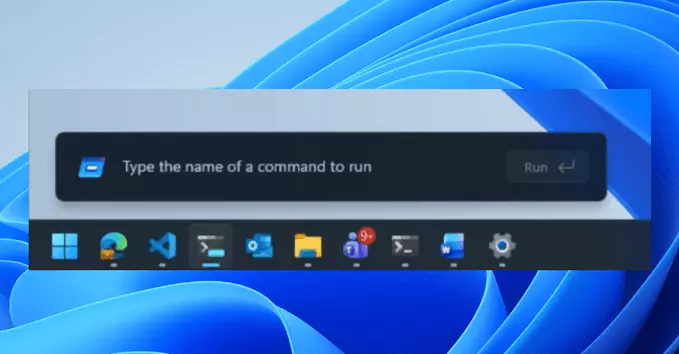
Microsoft is currently testing a redesigned Windows 11 Run menu that introduces native dark mode support and several usability improvements. This update aims to make the classic Run dialog more modern, consistent with the overall Windows 11 design language, and easier to use for both casual and power users.
The new Run menu in Windows 11 brings a cleaner, rounded interface that matches the system’s aesthetic. Key changes include:
The Run menu (accessed by pressing Windows Key + R) is a quick way to launch apps, open folders, or run system commands. For years, it looked almost identical to its Windows 10 and even Windows 8 versions. This redesign shows Microsoft’s commitment to modernizing every part of Windows 11, even small features.
If you use dark mode on your PC, this update will make the Run menu blend seamlessly with the rest of your interface. No more bright white pop-ups in a dark environment.
As of now, the redesigned Run menu is available only to Windows Insiders in the Dev Channel. To test it yourself:
Keep in mind that preview builds may contain bugs, so it’s not recommended for your main work computer.
Microsoft is also testing other interface updates alongside the Run menu redesign, including:
These changes are part of a broader effort to make Windows 11 more polished and user-friendly.
The redesigned Windows 11 Run menu is a small but welcome improvement. With native dark mode, better accessibility, and a cleaner look, it makes a frequently used tool feel modern again. If you’re a Windows Insider, you can try it today. For everyone else, expect it to roll out in a future update.

2.5K articles

1.3K articles

34 articles

28 articles














Comment