Alerts

-
4 minutes, 20 seconds
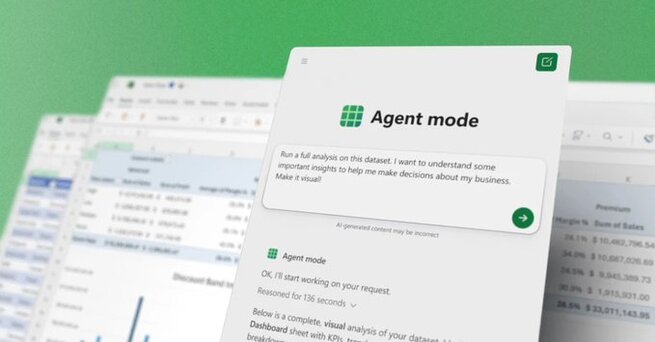
Microsoft has officially launched “vibe working” in Excel and Word, introducing Agent Mode and a new Office Agent in Copilot chat. The update lets users create complex spreadsheets, reports, and presentations using simple prompts. Instead of manually formatting or building formulas, Copilot now handles the heavy lifting while keeping the process transparent and auditable.
What’s new: Agent Mode in Excel and Word, plus Office Agent in Copilot chat.
How it works: Copilot breaks down tasks step-by-step, executes them, and shows its reasoning.
AI models used: OpenAI powers Agent Mode; Anthropic powers Office Agent.
Availability: Rolling out today in Microsoft 365 Copilot (web first, desktop soon).
“Vibe working” takes inspiration from vibe coding — where people create apps by prompting AI. Now, that same approach applies to documents and spreadsheets. You can describe what you need, and Copilot will generate it, validate it, and show you how it was done. The result is faster, more conversational productivity across Office apps.
Excel’s Agent Mode simplifies advanced analysis. For example, you can ask Copilot to analyze sales data, create charts, and summarize insights. The AI builds sheets, applies formulas, and generates visuals in minutes. Each step is displayed in a sidebar so users can follow and verify the process.
Why it matters:
Saves hours on repetitive Excel tasks.
Makes complex modeling accessible to non-experts.
Produces clear, auditable results that teams can refine.
Word now supports Agent Mode for “vibe writing.” Instead of manually drafting, you can prompt Copilot to summarize customer feedback, format reports, or polish executive summaries. The agent drafts, refines, and asks clarifying questions to ensure accuracy and style consistency.
Example prompts:
“Summarize Q3 customer feedback and highlight top issues.”
“Update this executive summary with September figures.”
The new Office Agent works inside Copilot chat and is designed for chat-first workflows. You can request a PowerPoint deck, a research-backed report, or a formatted Word document. The AI clarifies your intent, gathers content, and delivers previews — making it ideal for fast-moving team projects.
Agent Mode is powerful, but not perfect. Early benchmarks show it performs better than many competing agents but still lags behind human accuracy. Microsoft stresses that users should always review outputs, especially for sensitive data. The advantage is transparency: every action is logged and visible.
Agent Mode in Excel and Word is available today for Microsoft 365 Copilot users in the Frontier program, as well as select Personal and Family subscribers. Office Agent in Copilot chat is also rolling out to early testers in English.
Microsoft launches “vibe working” in Excel and Word to make professional-level productivity more accessible. By combining reasoning models with step-by-step execution, Office apps now act like collaborative AI agents. It’s faster, smarter, and designed to reduce friction between ideas and finished work — but it still requires human oversight.










Comment