Alerts

-
2 minutes, 55 seconds
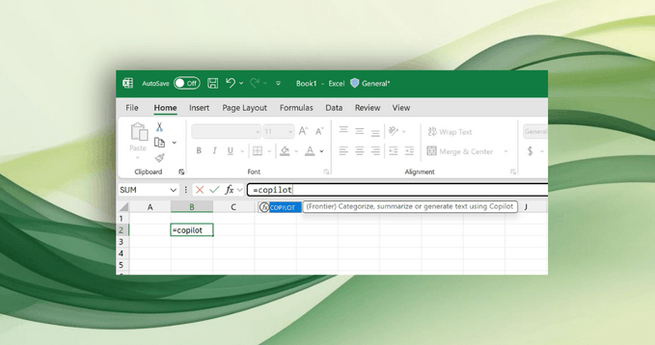
Microsoft Excel adds Copilot AI to help fill in spreadsheet cells, giving users a smarter way to organize and analyze data. The new feature allows you to generate summaries, classify information, create tables, and more with simple natural language prompts. It’s Microsoft’s latest step in bringing AI automation directly into everyday productivity tools.
The feature introduces a new =COPILOT() function inside Excel. You can type a plain-language command, reference cells, and let the AI handle the rest. For example, if you have a column of customer feedback, Excel Copilot can instantly classify comments with a single prompt.
A simple formula like:=COPILOT("Classify this feedback", D4:D18)
will generate structured, AI-powered classifications right inside your spreadsheet.
Microsoft has showcased other ways to use the Copilot AI function:
Generate text: =COPILOT("Create a description for this product based on its specs", B2:B8)
Summarize text: =COPILOT("Summarize this feedback", A2:A20)
This makes repetitive tasks like tagging product reviews or summarizing survey responses much faster. Instead of copying data into another tool, Excel now lets you automate directly in your sheet.
The new Copilot AI runs on OpenAI’s GPT-4.1-mini model, an upgrade to Microsoft’s earlier LABS.GENERATIVEAI experiment from 2023. Microsoft emphasizes that data entered into Excel’s Copilot is never used for AI training, ensuring user privacy and confidentiality.
Another advantage is flexibility. Microsoft notes that Copilot can be paired with existing formulas like IF, SWITCH, LAMBDA, or WRAPROWS to create more advanced workflows. This means Excel power users can blend AI with custom logic for even more control over their data.
With Google Sheets already rolling out similar AI features, Microsoft’s move ensures Excel remains competitive for business, academic, and personal use. By integrating Copilot AI directly into formulas, the company is making spreadsheets more intuitive and less time-consuming.










Comment