
-
2 minutes, 12 seconds
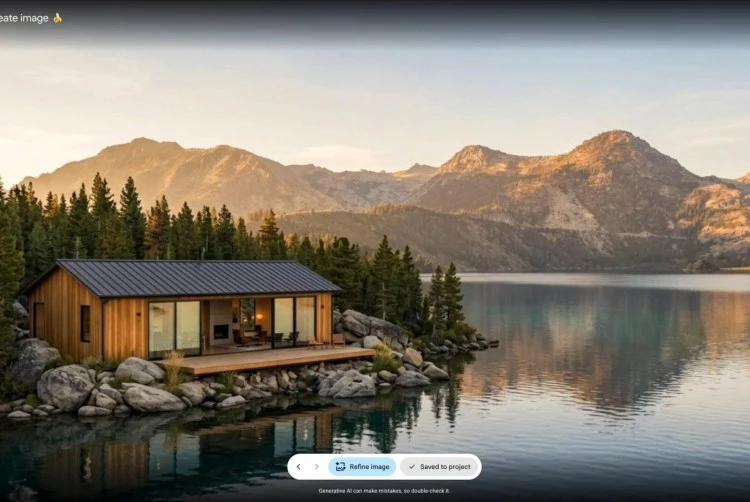
Even with Google’s watermarks and restrictions, an AI image generator in Google Earth can create believable flyover images that are ripe for misuse. This was recently demonstrated by Henk van Ess, a digital investigator who showed how easy it is to produce fake aerial footage that looks real. The problem is not just the tool itself, but the gap between safeguards and real-world manipulation.
Google Earth has integrated an AI image generator that lets users create realistic aerial views from text prompts. You type something like “aerial view of a beach town” and the AI generates a flyover image that looks like it came from a drone or satellite. It’s impressive technology, but it also opens the door to misuse.
Henk van Ess, known for his work in digital forensics, experimented with the tool. He was able to generate convincing flyover images that appeared to show real locations. Even though Google added watermarks and content restrictions, van Ess found ways to work around them—by cropping the image, zooming in, or simply using prompts that avoided obvious flags.
Watermarks can be removed or cropped. Restrictions can be bypassed with creative wording. And once an image is out there, it can be shared, edited, and taken out of context. The core issue is that AI-generated imagery looks so real that people struggle to tell it apart from actual satellite footage.
Google needs to go beyond watermarks. Stronger solutions include embedded digital signatures, AI detection tools, and clear labeling that stays intact even when images are edited. But technology alone won’t solve it. Media literacy and verification training are also essential.
The AI image generator in Google Earth is a powerful tool, but it’s also a reminder that with great power comes great responsibility. As Henk van Ess showed, watermarks and restrictions aren’t enough. We need smarter safeguards and a more informed public.

2.6K articles

1.4K articles

34 articles

28 articles












)
Comment