Halide Process Zero Update Makes iPhone Photos Shine
Halide Process Zero has been updated, and iPhone photographers are asking one key question: does it finally strike the perfect balance between natural photos and smart processing? The latest version now supports HDR and ProRAW, promising cleaner shadows, more realistic contrast, and better flexibility for editing. If you’ve ever felt frustrated by over-sharpened iPhone photos or unpredictable edits in desktop software, this update could be the solution you’ve been waiting for.
What Is Halide Process Zero?
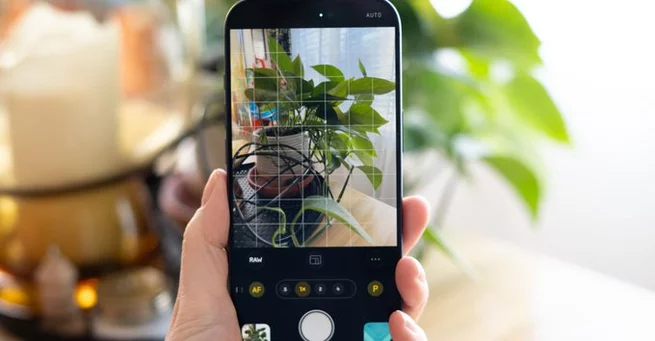
Halide Process Zero is a special camera mode inside the Halide iPhone app designed to reduce Apple’s heavy computational photography effects. Instead of stacking multiple frames and aggressively boosting shadows, it captures a single RAW frame with minimal processing.
The idea is simple: give photographers a more “real camera” experience. No overcooked HDR. No artificial sharpening halos. No overly bright shadows that flatten depth. For users who want control without fighting the default iPhone camera pipeline, Process Zero feels refreshingly honest.
When it first launched, however, the tradeoff was clear. While images looked more natural, they sometimes lacked the dynamic range and polish people expect from modern smartphone photography.
HDR and ProRAW Change the Game
The newest Halide update introduces HDR support and ProRAW compatibility to Process Zero. That’s a significant shift.
HDR (High Dynamic Range) allows the camera to preserve highlight and shadow detail in tricky lighting — especially backlit scenes. Previously, Process Zero images could lose highlight detail or appear too contrasty in bright conditions. With HDR now integrated, skies hold their color better, and shadow areas retain depth without looking muddy.
ProRAW support also makes a big difference. It provides more editing flexibility while keeping the benefits of minimal processing. Photographers can now push exposure, recover highlights, or adjust color temperature without seeing their image fall apart.
This update bridges the gap between purity and practicality.
Why iPhone Photos Often Feel “Overprocessed”
Modern iPhones rely heavily on computational photography. Multiple frames are merged in milliseconds, shadows are lifted automatically, and sharpening is applied aggressively to boost perceived detail.
While this approach works well for social sharing, it can create problems for serious photographers. Skin textures sometimes look unnatural. Fine details can appear brittle. Dark scenes lose mood because shadows are brightened too much.
Another frustration is editing consistency. Moving iPhone photos between devices can sometimes strip metadata like HDR gain maps, leading to edits that look different across software platforms. Many users end up abandoning RAW workflows entirely because of this complexity.
Halide’s Process Zero aims to remove that friction by simplifying the capture stage.
Real-World Results: More Natural Depth
With HDR now part of the Process Zero workflow, backlit images especially benefit. Instead of washed-out highlights or crushed blacks, photos maintain natural contrast.
Shadows stay deep, but not unusable. Highlights remain controlled, without that artificial glow common in aggressive HDR pipelines. The result feels closer to what you’d get from a dedicated mirrorless camera — especially when paired with thoughtful editing.
The key difference isn’t dramatic. It’s subtle. And that subtlety is exactly what photography enthusiasts appreciate.
Easier Editing Without Losing Character
One of the biggest wins in this update is workflow flexibility. ProRAW support means photographers can still use professional editing tools without fighting the image.
Exposure adjustments behave predictably. Color grading feels smoother. Fine detail holds up better under sharpening adjustments because it wasn’t over-sharpened to begin with.
For users who previously avoided RAW because of messy transfers or inconsistent HDR behavior, this update makes the process far less intimidating. You can keep your images on your phone or export them with confidence.
Who Should Use Process Zero?
Halide Process Zero isn’t designed for everyone. If you love punchy, bright, ready-to-share images straight out of the camera, the default iPhone app still does that extremely well.
Process Zero is ideal for:
-
Photography enthusiasts who prefer manual control
-
Creators who dislike heavy sharpening
-
Users who want deeper shadows and cinematic contrast
-
Anyone editing in professional software
It’s about control and authenticity rather than automation.
A Balanced Future for Smartphone Photography
Smartphone photography has long been a battle between automation and artistry. Most users benefit from AI-driven enhancements, but serious shooters often feel boxed in.
This Halide update shows that balance is possible. You don’t have to choose between zero processing and modern dynamic range. HDR and ProRAW integration demonstrate that thoughtful computational tools can support, rather than overpower, the photographer’s vision.
That evolution matters as mobile cameras become primary tools for creators worldwide.
Processing, But Just Enough
Halide Process Zero started as a bold experiment in stripping away smartphone excess. With HDR and ProRAW now onboard, it feels more complete — less like a rebellion against computational photography and more like a refined alternative.
The magic lies in restraint. Instead of fighting the iPhone’s strengths, this update harnesses them carefully. The result is a camera mode that feels intentional, flexible, and genuinely satisfying to use.
For photographers tired of battling over-processed images, this may be the most important iPhone camera update of the year.





Array