
Alerts
-
2 minutes, 1 second
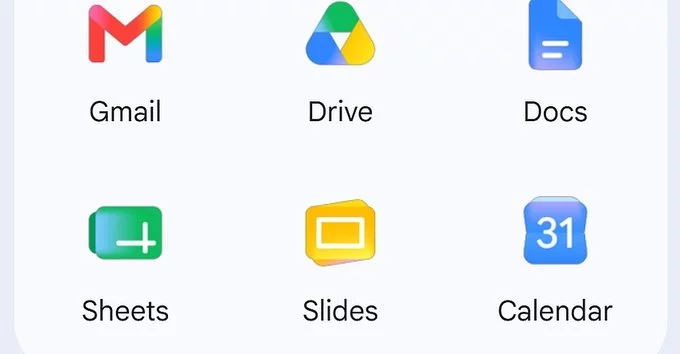
Google is rolling out its redesigned Workspace app icons, giving Gmail, Calendar, Drive, and other tools a modern, unified look. This update makes it easier to identify and use your favorite apps across devices.
The new icons feature brighter colors, simpler shapes, and a consistent design language. For example, the Gmail icon now uses a more vibrant red envelope, while Google Calendar sports a cleaner blue date tile. These changes aim to improve visual clarity and brand consistency.
Google wanted to create a more cohesive experience across Workspace apps. The old icons looked different from each other, which could confuse users. The new design aligns with Google’s Material Design 3 guidelines, making apps feel modern and accessible.
The rollout started in late 2024 and will continue through early 2025. Most users will see the update automatically in their web browsers and mobile apps. If you haven’t received it yet, check for app updates in your device’s store.
Workspace icons in linked tools like Slack or Trello may also update automatically. However, some third-party apps might take longer to adopt the new icons. If you notice outdated icons, notify the app developer.
Google’s redesigned Workspace app icons are a small but meaningful upgrade. They make your daily tools easier to spot and use, especially if you work with multiple apps. Whether you’re a freelancer or part of a team, this update improves your workflow without changing how the apps work.










Comment