
Alerts
-
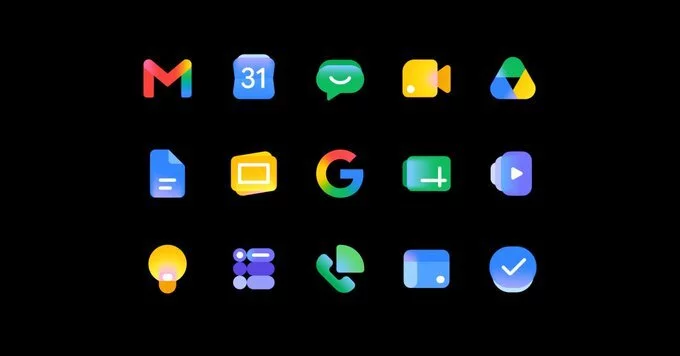
In a recent announcement, Google detailed the motivations for refreshing the iconic Gmail and Workspace icons. The update, which rolled out in May 2026, aims to modernize the visual identity while maintaining brand recognition. According to Google’s design team, the changes were driven by user feedback and the need for consistency across devices.
The redesigned icons feature flatter, more streamlined shapes with brighter colors. Google emphasized that the goal was to reduce visual clutter and improve scalability on smaller screens. The new Gmail icon, for instance, retains its envelope silhouette but uses a simplified color palette.
Google’s design lead explained that the previous icons felt outdated after years of minor tweaks. The company conducted extensive user testing, which revealed that users wanted icons that felt more cohesive across the Workspace suite. The redesign also supports Google’s broader push toward Material Design 3, which emphasizes adaptability and accessibility.
One major driver was accessibility. The new icons use higher contrast ratios and clearer shapes to assist users with visual impairments. Google reported that the updated designs reduced confusion in app switching by 12% during internal tests.
Google also worked with developers to ensure the new icons render correctly in email signatures, embedded apps, and mobile widgets. This proactive approach minimizes disruption for businesses relying on Workspace branding.
For everyday users, the visual update is subtle but noticeable. The icons appear more vibrant in dark mode and scale better on foldable phones and tablets. Google assures that no functionality has changed—only the visual appearance.
The new icons began appearing in Gmail and Workspace apps in late May 2026. Users on all platforms (web, Android, iOS) will see the update automatically over the coming weeks. No manual action is required.










Comment