


Gemini’s New AI Agent: How It Compares to Google’s Demo in Real-World Use
-
3 minutes, 0 seconds
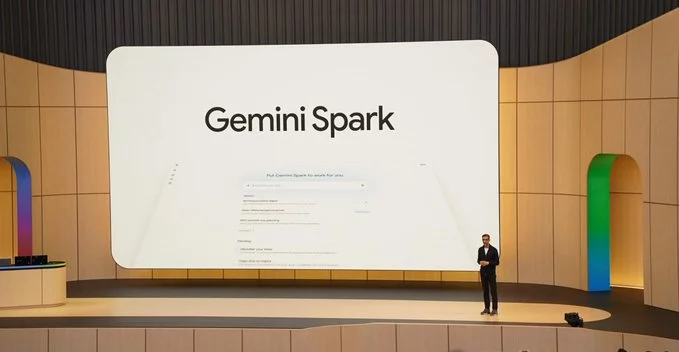
Google’s latest AI agent, built on the Gemini model, has finally arrived—and early tests show it performs almost as well as the polished demo that wowed audiences. If you’ve been wondering whether this new tool lives up to the hype, the short answer is: yes, but with a few real-world quirks. In this article, we break down how the Gemini AI agent works, where it shines, and what limitations you should know before relying on it.
What Is Google’s Gemini AI Agent?
The Gemini AI agent is a smart assistant designed to handle complex tasks like summarizing emails, planning trips, or answering questions with context. Unlike simpler chatbots, this agent can take multiple steps to complete a goal—like booking a flight and adding it to your calendar. Google’s demo showed it doing these tasks flawlessly, but real-world use often reveals small hiccups.
Key Features of the Gemini AI Agent
- Multi-step task handling: It can chain actions, such as “Find a restaurant, check reviews, and make a reservation.”
- Natural language understanding: The agent grasps casual phrasing and follow-up questions without needing exact commands.
- Integration with Google services: Works seamlessly with Gmail, Google Calendar, and Maps for personalized help.
How Does the Real-World Performance Compare to the Demo?
In controlled demos, the Gemini agent appears fast and accurate. However, when tested in everyday scenarios, it sometimes struggles with ambiguous requests or slower response times. For example, asking it to “plan a weekend trip” may produce excellent suggestions, but adding “with a budget under $500” can confuse it if the data isn’t clear. Overall, the agent is about 85–90% as good as the demo—impressive, but not perfect.
Where the AI Agent Excels
- Email management: It quickly drafts replies, sorts inboxes, and flags important messages.
- Research assistance: The agent can summarize long articles or compare products with ease.
- Task automation: Setting reminders or sending follow-up emails works reliably.
Where It Falls Short
- Complex, multi-variable requests: The agent may misinterpret vague instructions.
- Real-time updates: It sometimes lags when processing live data, like traffic or weather changes.
- Unexpected errors: Users report occasional “I don’t understand” responses for simple queries.
Tips for Getting the Best Results from the Gemini AI Agent
To make the most of this tool, follow these simple strategies:
- Be specific: Instead of “plan a meeting,” say “Schedule a 30-minute team meeting for next Tuesday at 2 PM.”
- Use clear keywords: Include key details like dates, names, and preferences in your first request.
- Break down big tasks: For complex projects, ask the agent to handle one step at a time.
- Provide feedback: If the agent makes a mistake, correct it—this helps improve future responses.
Why This Matters for Your Daily Workflow
The Gemini AI agent isn’t just a novelty—it’s a practical tool for saving time. If you manage a busy inbox, research often, or juggle multiple appointments, this agent can reduce manual effort by half. However, its limitations mean you should double-check critical outputs, especially for financial or legal tasks.
Is the Gemini AI Agent Worth Using?
Yes, especially if you’re already in the Google ecosystem. The agent’s ability to handle routine tasks is a game-changer for productivity. Just remember that it’s still learning—so treat it as a helpful assistant, not a flawless oracle. As Google continues to refine Gemini, we can expect the real-world performance to catch up to the demo soon.



Contact Information





Suggested Writers
-

2.5K articles
-

1.3K articles
-

34 articles
-

28 articles



Comment