Alerts

-
5 minutes, 33 seconds
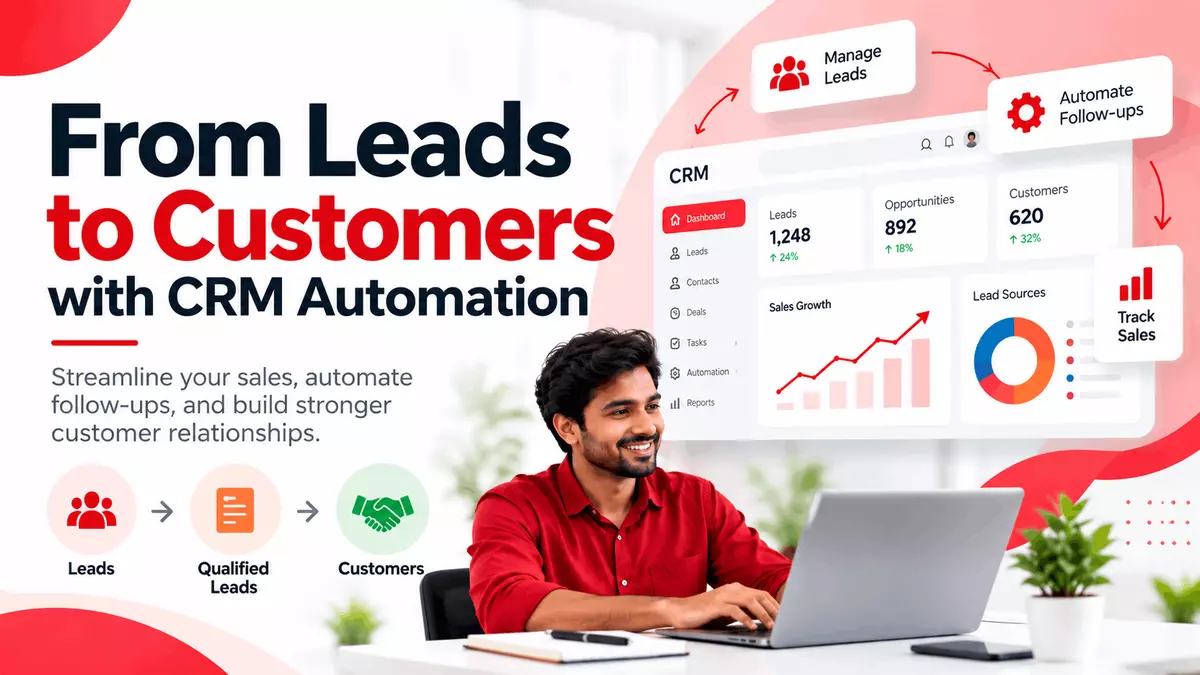
Running a small business often means wearing multiple hats from handling sales calls to managing customer data and following up on leads. Many growing businesses still rely on spreadsheets, sticky notes, or memory to track customer interactions. This manual approach can lead to missed follow-ups, duplicated efforts, and lost sales opportunities.
CRM automation offers a practical solution. By streamlining repetitive tasks and centralizing customer information, it helps small businesses improve sales efficiency and build stronger relationships without adding more work to an already busy day.
CRM automation refers to using technology to handle routine tasks within a customer relationship management (CRM) system. Instead of manually entering data, sending follow-up emails, or updating records, the system performs these actions automatically based on predefined rules or triggers.
In simple terms, CRM automation lets your sales and customer teams focus on conversations and closing deals, while the software manages the administrative work in the background.
A CRM system can automatically capture leads from your website, social media, or marketing campaigns and assign them to the right sales representative. This ensures that no lead is overlooked and that follow-ups happen quickly and consistently. Automated lead scoring also helps prioritize high-intent prospects, improving conversion rates.
Timing is critical in sales. CRM automation sends timely follow-up emails or reminders based on customer behavior such as downloading a brochure or requesting a demo. This keeps your business top-of-mind without requiring manual effort from your team.
By reducing time spent on data entry and administrative tasks, sales representatives can dedicate more time to building relationships and closing deals. Studies suggest that sales automation can increase productivity by up to 30%, allowing teams to handle more opportunities without feeling overwhelmed.
All customer interactions calls, emails, meetings, and notes are stored in one place. This gives every team member a complete view of the customer journey, reducing miscommunication and improving service quality.
CRM tools can schedule reminders for upcoming tasks, meetings, or calls. Sales managers can assign activities, track completion, and ensure nothing slips through the cracks.
With access to detailed customer histories and preferences, businesses can personalize communication and offer relevant solutions. Timely, consistent interactions build trust and encourage repeat business.
Automated dashboards provide real-time insights into sales performance, pipeline health, and conversion rates. This makes it easier to identify bottlenecks and adjust strategies quickly.
Automation minimizes human errors caused by manual data entry or forgotten tasks. Records stay accurate and up to date, improving decision-making and customer trust.
CRM analytics highlight trends, such as which lead sources perform best or which sales stages take the longest. Small business owners can use these insights to allocate resources more effectively and forecast revenue with greater accuracy.
Imagine a local IT training institute that offers courses in data analytics and cybersecurity. Here’s how CRM automation can streamline its sales process:
Lead Capture: A visitor fills out a “Download Course Brochure” form on the website. The CRM automatically creates a lead record and assigns it to a sales executive.
Automated Follow-Up: The system sends an instant email with the brochure and schedules a follow-up task for the next day.
Lead Scoring: Based on the visitor’s interaction (e.g., visiting the pricing page), the CRM scores the lead as “high priority.”
Task Management: The sales executive receives a reminder to call the lead, with all previous interactions visible in one place.
Meeting Scheduling: If the lead requests a demo, the CRM suggests available time slots and logs the meeting automatically.
Reporting: At the end of the month, the manager reviews a dashboard showing how many leads converted, which courses are most popular, and where improvements are needed.
This workflow reduces manual effort, ensures consistent follow-ups, and provides clear visibility into the sales pipeline.
Not all CRM systems are created equal. When evaluating options, small businesses should consider the following features:
Ease of Use: The interface should be intuitive, requiring minimal training for your team.
Automation Capabilities: Look for workflow automation, email triggers, and task reminders.
Integration: The CRM should integrate with your existing tools, such as email, calendar, and marketing platforms.
Scalability: Choose a system that can grow with your business, supporting more users and advanced features as needed.
Reporting and Analytics: Dashboards and customizable reports help track performance and make data-driven decisions.
Mobile Access: A mobile-friendly CRM allows your team to update records and check tasks on the go.
Customer Support: Reliable support ensures quick resolution of issues and smooth onboarding.
For businesses exploring CRM options, Lemai CRM is one example of a platform designed to help manage leads, tasks, meetings, calls, targets, reports, analytics, dashboards, and automation in one place. It offers features such as automated follow-ups, lead scoring, and real-time dashboards tools that can help small businesses reduce manual work and improve customer management. You can learn more about CRM software for businesses to see if it aligns with your needs.
1. What is CRM automation?
CRM automation uses technology to handle repetitive tasks like data entry, follow-ups, and lead assignment within a customer relationship management system.
2. How does CRM automation improve sales?
It speeds up follow-ups, prioritizes high-quality leads, and reduces administrative work, allowing sales teams to focus on closing deals.
3. Is CRM automation suitable for small businesses?
Yes. Many CRM platforms offer affordable, scalable plans designed specifically for small businesses and startups.
4. What features should I look for in a CRM?
Key features include lead management, workflow automation, reporting dashboards, mobile access, and integration with existing tools.
5. Can CRM automation replace my sales team?
No. CRM automation supports your team by handling routine tasks, but human interaction remains essential for building relationships and closing deals.
For small businesses juggling multiple responsibilities, CRM automation offers a practical way to streamline sales processes, reduce manual errors, and strengthen customer relationships. By centralizing information, automating follow-ups, and providing actionable insights, it helps teams work smarter not harder.
If your business still relies on spreadsheets or manual tracking, it may be time to evaluate your current sales process. Consider how CRM automation could reduce repetitive tasks, improve lead management, and give you clearer visibility into your pipeline. The right system can help your business grow sustainably while keeping customers at the center of every interaction.

8.5K articles

2.8K articles

1.6K articles

34 articles








Comment