


Final Cut Pro & Logic Pro Updates Bring Game-Changing Features
-
4 minutes, 52 seconds
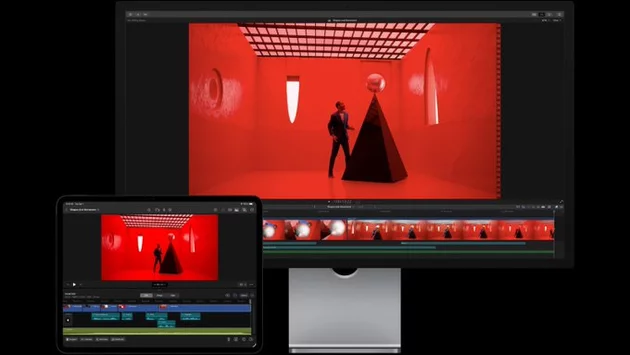
Apple has rolled out major updates to Final Cut Pro and Logic Pro, introducing AI-powered tools and workflow improvements that promise to change the way creators edit video and music. Whether you’re using a Mac or iPad, these updates bring new ways to find clips, sync music, and speed up your editing projects. Here’s a deep dive into what’s new and how it can transform your creative workflow.
AI-Powered Tools Transform Video Editing
Final Cut Pro now leverages advanced AI to make editing faster and smarter. On Mac, the new Transcript Search feature lets editors locate spoken words or phrases quickly by typing exact matches or using natural language. This is ideal for documentary makers or anyone working with hours of dialogue.
The Visual Search tool goes even further, allowing users to pinpoint objects and actions in footage using descriptive search terms. For example, you can type “child running in park,” and Final Cut Pro will instantly locate relevant clips. Meanwhile, Beat Detection analyzes music tracks to reveal bars and beats, making it effortless to align video edits with your audio’s rhythm. These intelligent tools require a Mac with Apple silicon, but they unlock enormous time savings for professionals and hobbyists alike.
Jumpstart Your Projects with Demo Content
Getting started is simpler than ever. Apple now includes a demo project featuring singer-songwriter Allie Sherlock, giving editors a hands-on way to explore new features. In-app guides also help you quickly create a library, import media, and start building a timeline. This is especially helpful for beginners or those transitioning from older versions of Final Cut Pro.
iPad Enhancements Bring Pro Editing On-the-Go
Final Cut Pro on iPad, available through Apple Creator Studio subscriptions, mirrors many Mac features while adding iPad-specific improvements. Montage Maker now lets creators effortlessly generate visual highlight reels set to music, providing ready-to-share content or a starting point for more detailed edits.
The iPad update also brings dynamic titles, customizable graphics, and pacing tools like countdowns and timers. AI-driven Transcript Search, Visual Search, and Beat Detection are also included, provided your iPad is running iPadOS 26. These updates aim to make professional-grade video editing portable and intuitive.
Streamlined Workflow Makes Editing Faster
Apple hasn’t just focused on AI features; workflow improvements are a major highlight. Multiple selection support in the inspector allows batch adjustments across several clips simultaneously. Background exports let you continue working on other projects while your edits render, with progress updates available in Live Activities.
For iPad users with M3 models or later, connecting an external monitor is now fully supported, making multi-screen editing smoother and more precise. These workflow enhancements ensure that both casual and professional editors can maintain momentum, even when juggling multiple projects.
Logic Pro Gets Smarter With Music Editing Tools
Logic Pro updates complement Final Cut Pro’s video enhancements. Beat and bar detection, AI-assisted arrangement suggestions, and smarter audio editing make syncing music to visuals or creating complex compositions easier than ever. These updates reinforce Apple’s commitment to a seamless, cross-platform ecosystem for creators who work with both video and music.
Why These Updates Matter
For creators, these updates aren’t just incremental—they redefine how content is produced. AI-powered tools reduce repetitive tasks, allowing more time for creative experimentation. Workflow improvements mean faster project completion, whether on Mac or iPad. For aspiring and professional creators alike, Apple’s updates make professional-level editing more accessible and efficient.



Contact Information





Suggested Writers
-

2.5K articles
-

1.3K articles
-

34 articles
-

28 articles



Comment