


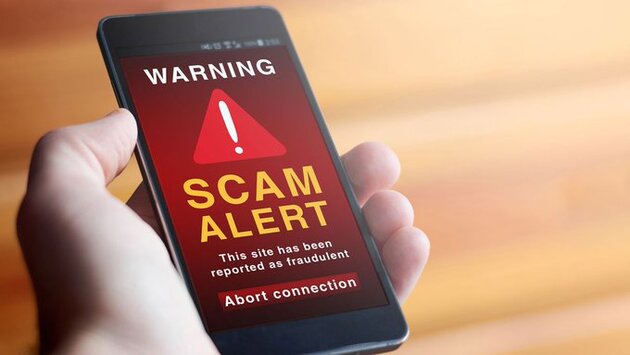
Android Crypto Wallet Scam: Delete These Apps Now
-
3 minutes, 16 seconds
Stop the Android Crypto Wallet Scam Before It Steals Your Funds
If you're using a cryptocurrency wallet on your Android device, you need to be extremely cautious. Over 20 fake crypto apps have been discovered on the Google Play Store, designed specifically to steal your 12-word recovery phrase—putting your entire wallet at risk. This Android crypto wallet scam is part of a sophisticated phishing campaign that impersonates trusted platforms like PancakeSwap and SushiSwap, tricking users into handing over their wallet credentials.
How the Android Crypto Wallet Scam Works
According to a report by Cyble Research and Intelligence Labs (CRIL), these malicious Android wallet apps were uploaded to the Play Store posing as legitimate tools. However, they were cleverly engineered to phish sensitive information by embedding deceptive URLs and using WebView to display fake login pages. Once a user enters their recovery phrase or seed phrase, the app silently sends that data to attackers, who then drain the wallet instantly.
Why These Fake Crypto Apps Are So Dangerous
These harmful apps use frameworks like Median to quickly convert phishing websites into Android apps. They often mimic the UI of well-known decentralized exchanges (DEXs) and DeFi wallets, making them nearly indistinguishable from the real thing. Some examples include fake versions of PancakeSwap, SushiSwap, Hyperliquid, and Raydium, which lure victims into a false sense of security before stealing their crypto assets. With over 60 million downloads across these apps, the risk is real and widespread.
How to Protect Yourself from Crypto App Scams
To avoid falling victim to an Android crypto wallet scam, never install wallet apps directly from ads or links shared on social media. Always verify apps from the official website or source. Check user reviews, verify developer details, and avoid apps with suspicious permissions. If you’re ever asked to enter your 12-word recovery phrase in an app, it’s a red flag—legitimate wallets never ask for your seed phrase outside initial setup.
Uninstall These Fake Wallet Apps Now
If you’ve downloaded any unfamiliar crypto apps recently, especially from lesser-known developers, uninstall them immediately and transfer your funds to a secure wallet. This latest Android crypto wallet scam proves that cybercriminals are getting smarter. Protect your assets by staying informed and only using verified tools. Your wallet's security is only as strong as your vigilance.



Contact Information





Suggested Writers
-

2.5K articles
-

1.3K articles
-

34 articles
-

28 articles



Comment