Alerts

-
4 minutes, 38 seconds
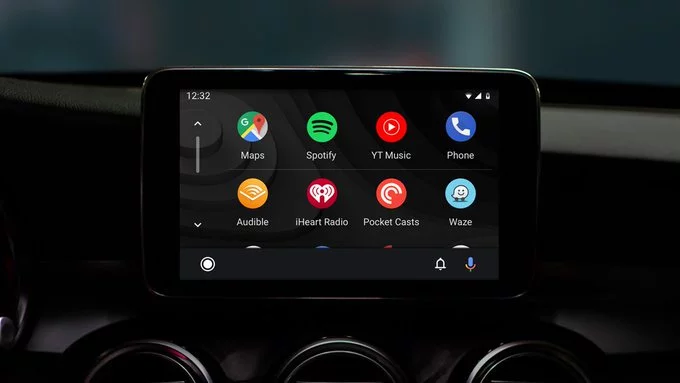
Android Auto is experiencing widespread issues, leaving many drivers frustrated as their phones fail to connect to car dashboards. Reports have come from users of multiple devices, including the Samsung Galaxy S26 and Google Pixel phones. For drivers who rely on Android Auto for navigation, music, and hands-free calls, this glitch has disrupted routines and sparked confusion.
The problem appears to involve connection failures between phones and vehicles, though the exact cause is still unclear. Both Samsung and Google have yet to provide official statements, leaving users seeking temporary fixes or workarounds on forums and social media.
While Samsung Galaxy S26 users are reporting the most issues, Pixel phones and older Android devices are also experiencing problems. Users describe scenarios where Android Auto either fails to launch, disconnects repeatedly, or refuses to recognize the vehicle entirely.
Some drivers have noticed the bug appears after software updates, though this isn’t consistent for everyone. Others report that the issue occurs when switching between wired and wireless connections, suggesting multiple underlying causes may exist.
Android Auto supports both wired USB connections and wireless setups, and both methods seem affected. Drivers using a wired connection often find the system fails to detect the phone or crashes immediately after connecting. Wireless users report sudden disconnections or an inability to initiate Android Auto at all.
These issues are particularly inconvenient for commuters who rely on Android Auto for navigation during busy drives. Many have turned to temporary solutions such as restarting their phones, toggling Bluetooth and Wi-Fi, or clearing app data, but results vary widely.
Despite the growing number of reports, neither Samsung nor Google has issued guidance or acknowledged the bug publicly. The silence has fueled speculation, with some suggesting the problem could relate to recent software updates or compatibility changes between the latest Galaxy devices and Android Auto.
Without official updates, users are left to rely on online communities for potential fixes. Some have recommended rolling back system updates, uninstalling recent app updates, or even using third-party navigation apps as temporary alternatives.
If Android Auto is critical for your daily drive, there are a few steps to try while waiting for an official fix. Restarting your phone and car system can sometimes restore connection. Checking for pending software updates for both the phone and Android Auto app may resolve bugs introduced by older versions.
For wireless connections, ensure both Wi-Fi and Bluetooth are enabled, and try reconnecting multiple times. For USB users, switching cables or USB ports can make a difference. While these solutions aren’t guaranteed, they can help mitigate frustration until Samsung or Google releases a patch.
Given the volume of reports, it’s likely that an update from Samsung or Google is imminent. Software patches or app updates typically arrive within days of major disruptions affecting multiple devices. Users are advised to monitor official update channels and Android Auto support pages for announcements.
Android Auto remains a valuable tool for drivers, combining convenience and safety on the road. Despite current setbacks, proactive troubleshooting and careful monitoring of updates can keep your system functional until an official fix arrives.








Comment