
Ableton Lets Musicians Build Browser-Style Extensions for Live
-
2 minutes, 15 seconds
Ableton Now Supports Browser-Style Extensions in Live
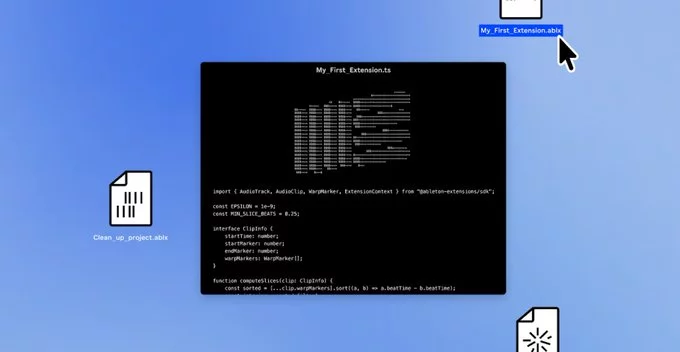
Ableton is letting musicians build browser-style extensions for Live, opening up new ways to customize and enhance the music production experience. This update allows users to create and install add-ons that function like browser extensions, adding features, tools, and workflows directly into Ableton Live.
What Are Browser-Style Extensions for Ableton Live?
Browser-style extensions are small software add-ons that run inside Ableton Live, similar to how extensions work in Chrome or Firefox. They can modify the interface, add new functions, or automate tasks, all without altering the core software. For example, an extension could add a custom mixer layout, a new MIDI effect, or a quick-access tool for sample management.
How Musicians Can Build Their Own Extensions
Ableton has provided a new API (Application Programming Interface) that makes it easier for musicians and developers to build these extensions. The API includes tools for:
- Accessing Live's session and arrangement views
- Creating custom UI elements like buttons and sliders
- Responding to real-time audio and MIDI events
- Integrating with third-party services or hardware
This means you don't need to be a professional programmer to get started. With basic JavaScript knowledge, you can create simple extensions that improve your workflow.
Why This Matters for Music Producers
This move makes Ableton Live more flexible and personalized. Instead of waiting for official updates, you can now build or download extensions that solve specific problems. For instance:
- Automate repetitive tasks like renaming tracks or arranging clips
- Add visual feedback for metering or waveform analysis
- Connect to online databases for sample or preset browsing
This approach also encourages a community-driven ecosystem, where musicians share extensions and collaborate on new ideas.
Getting Started with Ableton Live Extensions
To start building, visit Ableton's developer portal and download the extension SDK (Software Development Kit). The SDK includes documentation, example code, and a testing environment. You can also browse community forums for pre-built extensions or share your own creations.
Ableton has emphasized that extensions are safe to use and run in a sandboxed environment, so they won't crash or corrupt your projects. This makes experimentation low-risk and user-friendly.
What This Means for the Future of Music Production
By embracing browser-style extensions, Ableton is positioning Live as a more modular and adaptable DAW (Digital Audio Workstation). This could lead to a surge of innovative tools, from AI-assisted composition to real-time collaboration features. For musicians, it means more control over their creative environment.
In short, Ableton is letting musicians build browser-style extensions for Live, giving you the power to tailor the software to your exact needs. Whether you're a hobbyist or a professional, this update opens up exciting possibilities for enhancing your music production workflow.



Contact Information





Suggested Writers
-

2.5K articles
-

1.3K articles
-

34 articles
-

28 articles



Comment