
Alerts
-
4 minutes, 45 seconds
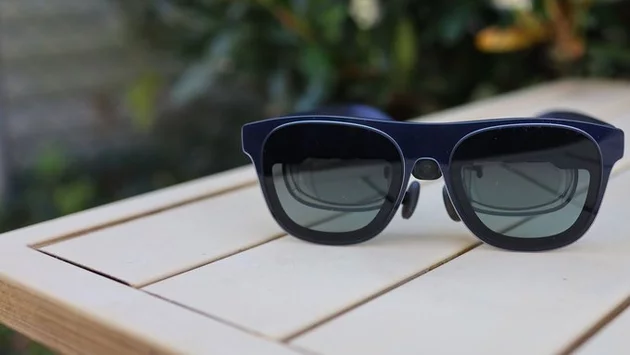
If you own XR glasses, you already know how magical they can be. Whether you’re lying in bed streaming a movie or traveling and craving a personal big-screen experience, these glasses transform ordinary entertainment into something extraordinary. But there’s a catch: the battery.
Non-standalone XR glasses—like models from Xreal, RayNeo, or Virtue—don’t have internal power sources. Instead, they drain the battery of the device they’re connected to, whether that’s your phone, laptop, or gaming console. That can turn a fun evening into a frustrating race against the low-battery warning.
Unlike standalone devices, non-standalone XR glasses rely entirely on the host device for power. The moment you plug in your glasses, your phone or laptop suddenly has to feed both its own system and the glasses. Streaming high-resolution video through the XR headset amplifies this power draw, and before long, your device battery plummets.
This is especially noticeable on long trips or during extended gaming sessions. A phone that usually lasts all day can be drained in just a couple of hours when connected to XR glasses. For anyone who relies on their device for work or navigation, this is a dealbreaker.
Thankfully, there’s a simple, affordable solution: a dedicated power adapter for your XR glasses. Costing around $35, this little device separates the power supply for your glasses from your host device. Instead of draining your phone or laptop, the glasses pull electricity directly from the adapter, letting your device last much longer.
For travelers, this means hours of uninterrupted movies on the plane. For gamers, it means longer, more immersive sessions without worrying about losing power mid-boss fight. It’s a tiny investment that completely changes the XR experience.
Most XR glasses support USB-C connections. The power adapter plugs into a USB-C port and then connects to your glasses, providing a direct, stable power source. Some adapters even come with dual charging ports, letting you power both your device and the glasses simultaneously.
Setup is usually plug-and-play. There’s no software to install, no complicated pairing steps—just a quick connection and your battery woes disappear. Users report immediate improvements in device longevity, with some extending device life by 50% or more during XR sessions.
This $35 accessory is perfect for anyone who uses XR glasses regularly. That includes:
Frequent travelers who rely on portable entertainment
Gamers who want longer sessions without interruptions
Remote workers experimenting with XR for virtual desktops
Tech enthusiasts looking to maximize device efficiency
Even casual users benefit: a quick 15-minute recharge during a commute can add hours of use without touching the host device’s battery.
XR glasses open up an amazing new world of entertainment, but battery life has always been a limitation. Spending $35 on a dedicated power adapter is a small price to pay for uninterrupted experiences, longer travel entertainment, and peace of mind.
For anyone frustrated with constantly running out of juice, this accessory is more than just convenient—it’s essential. With it, XR glasses finally feel like the future of personal tech they were meant to be, without leaving you tethered to a dying battery.










Comment