Alerts

-
1 minute, 44 seconds
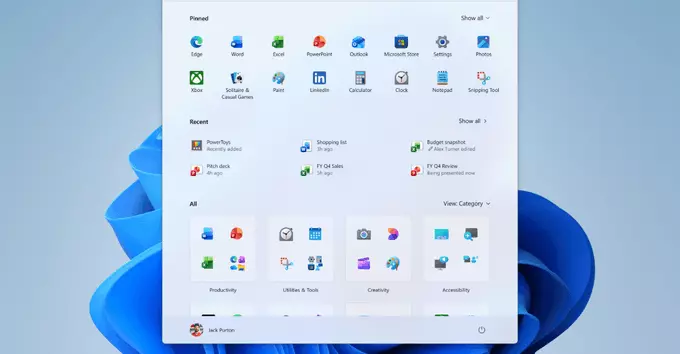
Microsoft is testing a major update for Windows 11 that finally brings an adjustable taskbar and a resizable Start menu. This new feature lets you change the height and width of the taskbar, and resize the Start menu to show more apps or smaller icons. It's a big win for users who want more control over their desktop layout and a more personalized experience.
Since launch, Windows 11 has had a fixed taskbar that many users found restrictive. Now, with the adjustable taskbar, you can make it taller or shorter, and even move it to different positions. The resizable Start menu also means you can see more apps without scrolling. These changes improve productivity and make the interface feel less cluttered.
These features are currently available in the latest Windows 11 Insider Preview build (Dev Channel). If you're part of the Windows Insider Program, you can update and test them right now. For others, expect the update to roll out to all users in the coming months. To enable the adjustable taskbar, go to Settings > Personalization > Taskbar, and look for the new sizing options.
This update shows Microsoft is listening to user feedback. The adjustable taskbar and resizable Start menu make Windows 11 more flexible and user-friendly. Keep an eye on future Insider builds for even more customization options.










Comment