
Alerts
-
2 minutes, 25 seconds
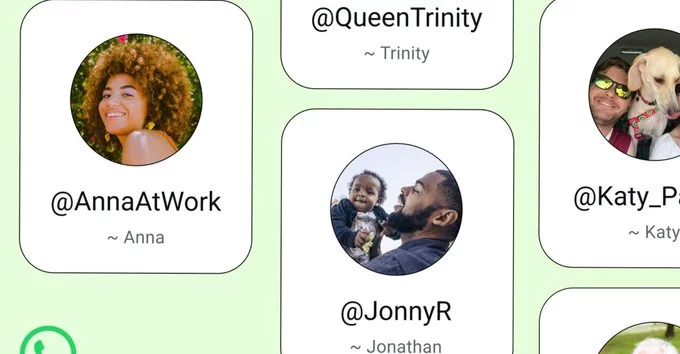
WhatsApp is finally rolling out usernames, making it easier to connect without sharing your phone number. This long-awaited feature is rolling out gradually, and you can reserve your unique username right now. Here's exactly how to do it and what to expect.
Usernames let you keep your phone number private while still allowing people to find and message you. You simply share your username instead of your number. This is great for privacy, business contacts, or anyone who wants to separate work and personal chats.
Here’s a simple step-by-step guide to claim your username before someone else does.
Make sure you have the latest version of WhatsApp from your app store. Go to the App Store (iPhone) or Google Play Store (Android) and check for updates.
Open WhatsApp and tap the three dots (Android) or the settings gear icon (iPhone) in the top corner. Then tap on your profile name or picture.
Look for a new field labeled "Username" under your profile info. If you don't see it yet, the feature may not be available in your region. Check back in a few days.
Tap on the username field and type your desired handle. WhatsApp will show if it's available. Pick something unique, easy to remember, and professional if you use it for business.
Once you confirm, your username is saved. You can now share it with others so they can find you without your phone number.
Usernames are first-come, first-served. If your first choice is taken, try adding a word like "real" or "official" before your name. You can also use underscores or dots, but keep it clean.
WhatsApp is rolling out usernames gradually to users worldwide. If you don't see it yet, update your app and wait. It should reach everyone in the coming weeks. You can also check WhatsApp's official blog for updates.
WhatsApp usernames are a simple but powerful upgrade. They give you more privacy and flexibility. Reserve yours today to secure your preferred handle. Once it's taken, you may not get it back.









Comment