
Alerts
-
3 minutes, 46 seconds
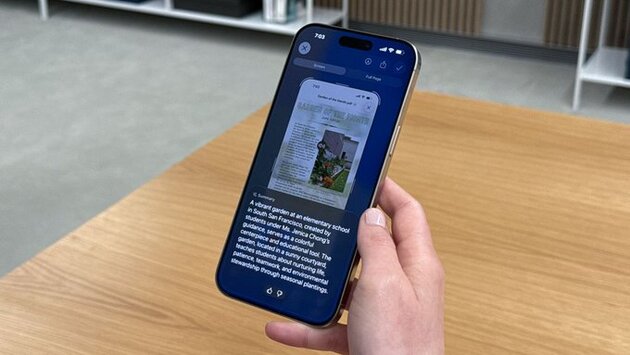
Apple's Visual Intelligence in iOS 26 is getting a serious upgrade, and it's one of the most useful tools coming to your iPhone. If you've ever wanted to quickly identify objects, analyze content in screenshots, or visually search for information right from your screen—this feature is about to become your go-to. While Apple didn’t reveal a full Siri overhaul at WWDC 2025, Visual Intelligence quietly became one of the most talked-about Apple Intelligence updates, and for good reason.
With iOS 26, Visual Intelligence becomes even more powerful by introducing on-screen awareness. This means your iPhone can now analyze what's happening in screenshots and images with contextual understanding. Whether you're trying to identify a product in a photo or get more information about text on your screen, this update makes it faster and easier. The feature works on the iPhone 16, iPhone 15 Pro, and 15 Pro Max, making use of their advanced chips to power AI-driven tasks natively.
Think of Visual Intelligence as Apple’s answer to Google Lens, but with tighter integration into the iPhone ecosystem. In iOS 26, it now lets you long-press screenshots to bring up a visual search menu, similar to how you’d interact with a live camera view in previous versions. You can “Ask” or “Search” for more info about what's on the screen—from plant species to product names. While Google Lens still leads in some areas, Apple is quickly catching up with this more refined, privacy-focused experience.
Apple showcased this upgrade in a brief but impactful demo at WWDC 2025, and it’s clear that this is more than just a minor tweak. It's a sign that Apple Intelligence is becoming more practical, intuitive, and integrated into daily use. For users who rely on screenshots for notes, ideas, or references, this update turns static images into interactive, informative assets. It’s especially useful for students, professionals, and visual learners looking to extract quick insights.
Even without the much-hyped Siri overhaul, iOS 26’s Visual Intelligence feature proves Apple’s commitment to useful, real-world AI. Whether you're snapping a photo of a document, capturing a moment to learn more later, or just curious about what’s on your screen—this tool is designed to work with you, not just for you. It’s smart, seamless, and another reason why Apple users will love what iOS 26 brings to the table.










Comment