
Alerts
-
2 minutes, 47 seconds
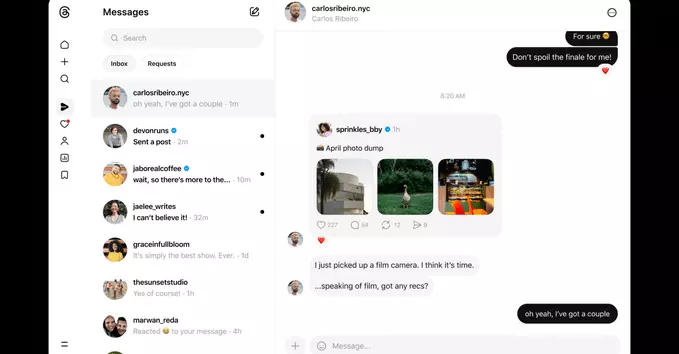
If you've been waiting to send private messages on Threads from your computer, the wait is over. Threads is finally getting DMs on the web, making it easier to connect with followers without switching to your phone. This update fills a major gap in the platform's desktop experience.
With this rollout, you can now send and receive direct messages directly from the Threads website. Key features include:
Getting started is simple. Just log into Threads on your browser, click the message icon (usually a paper plane), and select a user to message. You'll see your entire conversation history from the mobile app.
To make the most of web DMs, keep these tips in mind:
For content creators and businesses, Threads web DMs are a game-changer. You can now manage customer inquiries, collaborate with brands, or network with peers without picking up your phone. This boosts productivity and keeps conversations organized.
Regular users also benefit. Whether you're sharing private jokes or asking a question, messaging from a keyboard feels faster and more natural for longer chats.
This update follows other recent improvements like trending topics and a following feed. While DMs on the web are a big step, users still hope for features like group messaging and message search. For now, the addition of private messaging on desktop makes Threads a stronger competitor to X (formerly Twitter).
Ready to try it? Open Threads on your browser and start a conversation today.










Comment