
Trending
Trending Hashtags
Alerts
-
2 minutes, 33 seconds
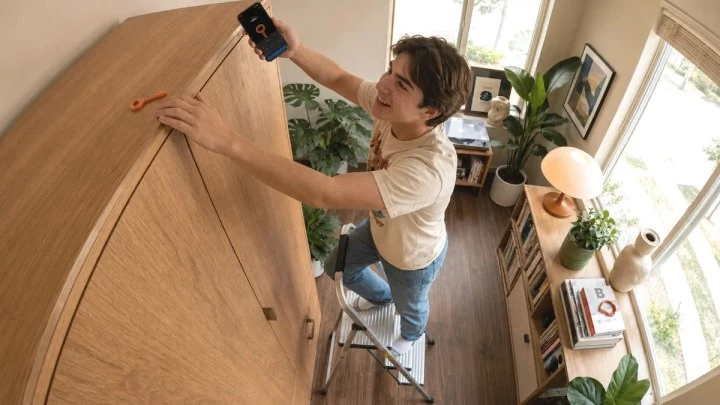
If you've ever tried to stop scrolling through Instagram or TikTok but failed because you just couldn't resist, there's a clever solution: a $9 physical key that locks your most addictive apps. Unlike screen-time apps that rely on your willpower, the Autonomous Key uses a real, physical NFC key to block distracting apps on your phone. It's a simple but effective way to break the endless scroll loop.
The Autonomous Key is a small NFC (near-field communication) key that works with a companion app on your phone. You pair the key with the app, then choose which apps you want to lock away. Whenever you want to use a locked app, you must tap the key to your phone to unlock it. That tiny physical action makes all the difference.
Most screen-time apps just send a notification or show a timer. That's easy to ignore. But with the Autonomous Key, you have to get up, find the key, and physically tap it. That extra step gives your brain a moment to think: “Do I really need this right now?” Often, you'll put your phone down instead.
It's a psychological trick. The friction is real, not just a pop-up. And because the key is a separate object, you can even keep it in another room. Then to unlock TikTok, you'd have to walk to the kitchen or wherever you left the key. That's a powerful deterrent.
If you're someone who:
…then this key is for you. It's not a full parental control solution, but it's perfect for personal digital wellness.
At just $9, the Autonomous Key is a cheap, clever way to take back control of your phone habits. It's a simple concept that works surprisingly well because it bypasses your willpower entirely. If screen-time apps haven't helped you, this physical app blocker just might be the game-changer you need.







Comment