
Alerts
-
3 minutes, 5 seconds
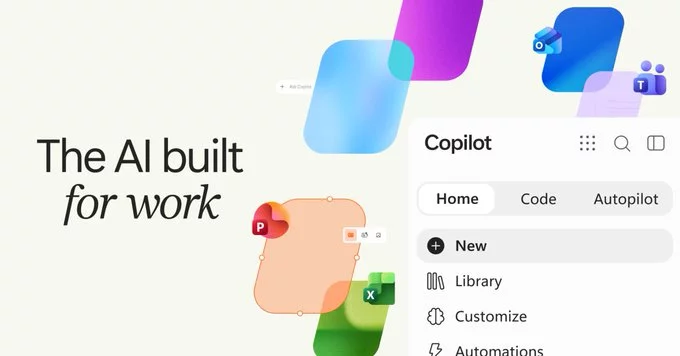
The new Copilot is a single offering that brings together three capabilities that used to feel like separate products: AI chat, coding, and Autopilot agents. Instead of switching between tools, users get one place where conversations, code assistance, and autonomous task execution all live side by side.
This consolidation matters because it changes how people work with AI day to day. You might start with a chat to think through a problem, move into code to build a solution, and then hand longer-running work to an agent that operates on your behalf.
Rather than treating these as distinct products, the new Copilot presents them as parts of one coherent experience, so the transition from asking to building to delegating feels continuous.
AI chat is one of the three combined capabilities that make up Copilot. Rather than standing alone, it works alongside coding and Autopilot agents to form a single, unified assistant.
This chat experience is conversational by design. You ask questions, explore ideas, and work through problems in natural language, just as you would with any AI chatbot. What makes it different inside Copilot is the context: because chat is combined with the other capabilities, it is not an isolated tool but part of a broader system.
AI chat is useful for the kinds of tasks that benefit from a back-and-forth exchange, including:
The key point is that chat is one capability among three. Copilot combines AI chat, coding, and Autopilot agents, so the conversational layer sits next to the hands-on work rather than replacing it. That combination is what defines the new Copilot.
The most interesting part of the new Copilot is that coding now lives in the same tool as chat and agents. You no longer need to switch to a separate editor or a different assistant just to get help with code.
Because the coding experience sits alongside everything else, you can move naturally between asking questions, working with an agent, and writing or debugging code. The context stays with you instead of being scattered across tools.
For developers, this consolidation is the real shift. Coding assistance is no longer a destination you go to; it is simply one of the things Copilot can do, right next to the conversation you are already having.
The third merged capability in the new Copilot is Autopilot agents. These agents are designed to move beyond answering questions and instead carry out work on the user's behalf, operating with a degree of autonomy that distinguishes them from the chat experience.
Where AI chat responds to prompts and coding assistance helps produce and refine code, Autopilot agents take on delegated tasks and see them through. This makes them the most action-oriented of the three capabilities folded into Copilot.
Bringing agents into Copilot means users no longer need to leave the assistant to hand off work to something that can act independently. The same surface that supports conversation and coding now also supports agent-driven execution, keeping the experience unified rather than split across separate tools.
For teams evaluating the new Copilot, Autopilot agents are worth understanding alongside the chat and coding features, since they represent the shift from an assistant that answers to one that acts.










Comment