
Alerts
-
2 minutes, 23 seconds
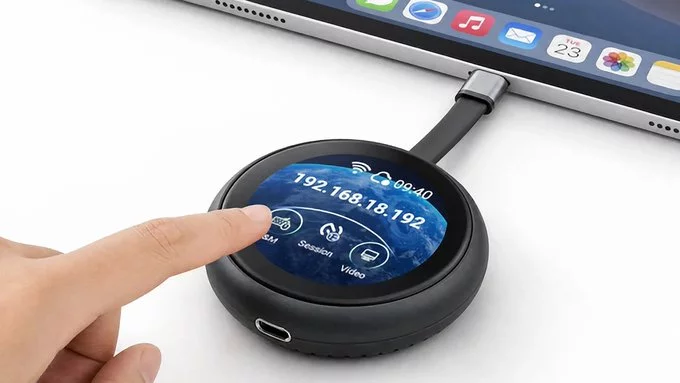
Someone has finally built a hardware KVM for iPhones, solving a major pain point for professionals who use their iPhone as a desktop workstation. This innovative device lets you control multiple computers and your iPhone from a single keyboard, mouse, and monitor—without software or lag.
A KVM (Keyboard, Video, Mouse) switch traditionally lets you control multiple computers with one setup. This new iPhone-compatible KVM is a physical box that connects your iPhone to your monitor, keyboard, and mouse, just like a laptop or desktop. Unlike software-based screen mirroring, it uses a direct hardware connection for zero latency.
If you use your iPhone for work, you know the struggle of switching between a phone screen and a PC. This KVM lets you:
Setup is straightforward: Plug the KVM into your monitor, connect your iPhone via USB-C or Lightning, and attach your keyboard and mouse. Press a button to toggle between your iPhone and a connected computer. No software drivers, no cloud sync—just pure hardware switching.
For example, you can edit a video on your iPhone, then switch to your PC for audio mixing, all without unplugging cables. This is a huge time-saver for mobile professionals, streamers, and remote workers.
This hardware KVM is ideal for:
Software mirroring (like AirPlay or third-party apps) adds delay, compresses video, and drains battery. A hardware KVM offers:
To get the most out of it:
This hardware KVM for iPhones is a rare example of a product that actually solves a real problem. It turns your iPhone into a powerful desktop workstation without the complexity of software. If you value speed, simplicity, and seamless device switching, this is worth the investment.









Comment