Send to Alexa Plus Transforms Kindle Scribe Into a Smarter Productivity Tool
Send to Alexa Plus is now available on the latest Kindle Scribe models, and many users are asking: What does it do? How does it improve productivity? And is it actually useful? The new feature allows Kindle Scribe owners to send handwritten notes and documents directly to Alexa Plus, Amazon’s AI-powered assistant, which can summarize content, create to-do lists, set reminders, and even help brainstorm ideas. The result is a Kindle that feels less like a digital notebook and more like a full productivity hub.
Starting February 12, Amazon began rolling out the feature to Kindle Scribe and Kindle Scribe Colorsoft users, marking a significant upgrade in how the device integrates with AI tools.
What Is Send to Alexa Plus on Kindle Scribe?
Send to Alexa Plus is a new integration between the Kindle Scribe and Amazon’s enhanced Alexa Plus assistant. With a few taps, users can send handwritten notes, PDFs, or documents from their Kindle directly to Alexa’s AI engine.
Once processed, Alexa Plus can summarize long passages, extract key details, generate task lists, and convert written information into calendar events or reminders. It can also assist with brainstorming sessions or provide project guidance based on the content you share.
This feature builds on Amazon’s broader push to make Alexa more context-aware and proactive. Instead of simply responding to voice commands, Alexa Plus now works as an intelligent document assistant.
How Send to Alexa Plus Improves Productivity
For many Kindle Scribe users, the biggest question is whether this feature actually saves time. In real-world use, it performs best when turning information into actionable outputs.
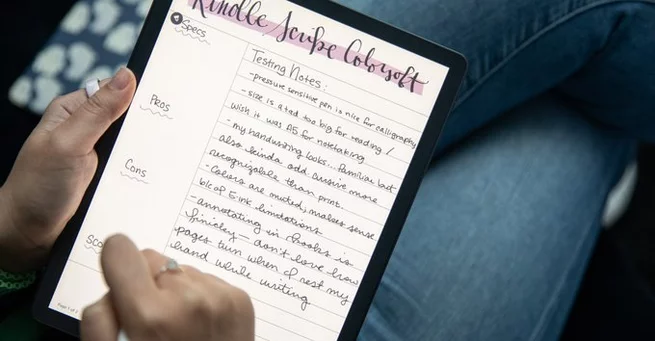
Handwritten notes—no matter the template or text color—are accurately summarized. Even messy handwriting is interpreted with surprising accuracy. Notes about appointments, for example, can be instantly converted into calendar events complete with helpful context.
That means scribbled reminders no longer stay buried in a notebook. They become structured, organized, and actionable within seconds.
AI-Powered Summaries and Task Creation
One of the strongest use cases for Send to Alexa Plus is document summarization. Long PDFs, emails, and handwritten pages can be condensed into clear summaries.
Users can also request that Alexa transform notes into checklists or to-do items. Instead of manually rewriting action points, the AI identifies tasks and organizes them logically.
This functionality is particularly helpful for busy professionals, students, and caregivers who juggle multiple responsibilities. Rather than rereading pages of notes, you can ask Alexa to extract only what matters most.
Smart Context Recognition Makes a Difference
What sets Send to Alexa Plus apart is its contextual understanding. Even loosely written or partially detailed notes can be interpreted correctly.
For instance, if a user writes down the name of an insurance provider without explicitly labeling it, Alexa can often recognize the context. It identifies entities, pulls relevant details, and uses surrounding information to understand intent.
That contextual awareness reduces the need for overly structured notes. You can write naturally and let Alexa handle the organization.
Real-World Use Cases: From Caregiving to Calculations
Send to Alexa Plus isn’t just about summaries. It also handles practical tasks like answering questions about documents and performing calculations.
If you send a document containing a list of charges, Alexa can total them accurately. If you need specific details from a longer dispute letter or appointment notes, the assistant can retrieve them quickly.
For caregiving tasks, this becomes especially valuable. Notes about medical appointments can be converted into reminders. Letters can be summarized while you’re multitasking. Information becomes easier to access without flipping through pages.
These everyday scenarios demonstrate that the feature isn’t just flashy AI—it’s functional.
Kindle Scribe Feels More Like a Productivity Device
The Kindle Scribe was already positioned as a reading and writing device, but Send to Alexa Plus shifts its identity closer to a productivity tablet.
Instead of serving as a passive note-taking tool, the Scribe now actively helps process and manage information. The integration essentially bridges handwritten input and AI-driven organization.
That transformation makes the device more appealing to users who want digital paper combined with smart automation. It narrows the gap between traditional e-readers and productivity-focused tablets.
Limitations to Keep in Mind
While Send to Alexa Plus performs impressively in many areas, it isn’t perfect. AI-generated outputs still depend on the clarity of the original input. Missing critical details in notes can lead to incomplete calendar entries or task lists.
Additionally, brainstorming responses may vary in usefulness depending on how specific the prompts are. Like most AI tools, it performs best with clear direction.
Still, for structured tasks like summarizing documents or creating reminders, the accuracy remains consistently strong.
Amazon’s Bigger AI Strategy
The launch of Send to Alexa Plus aligns with Amazon’s broader AI expansion strategy. Alexa Plus has been evolving into a more advanced assistant capable of handling complex, multi-step tasks.
By integrating it with Kindle Scribe, Amazon strengthens its ecosystem. Notes written on one device can now seamlessly trigger intelligent actions across others, including smart displays and voice-enabled hardware.
This ecosystem approach encourages users to stay within Amazon’s hardware and software environment, where devices work together more fluidly.
Why Send to Alexa Plus Matters in 2026
AI assistants are becoming more embedded in everyday workflows. Send to Alexa Plus reflects a shift from reactive voice assistants to proactive digital collaborators.
For Kindle Scribe owners, this update significantly increases the device’s value. It turns static notes into dynamic outputs—summaries, reminders, tasks, and organized plans.
That evolution positions Kindle Scribe not just as an e-reader with a stylus, but as a productivity companion powered by intelligent automation.
As AI continues to shape how we manage information, tools like Send to Alexa Plus may become standard expectations rather than premium features. For now, it’s a compelling step forward that makes the Kindle Scribe feel smarter, faster, and far more useful than before.





Array