Alerts

-
4 minutes, 47 seconds
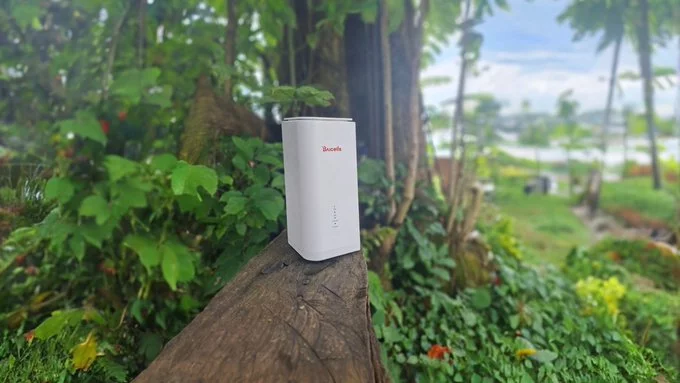
If you have noticed that your Safaricom 5G router speeds are becoming painfully slow at night, you are not alone. Many users in Kenya experience this frustrating drop in performance after sunset. The good news? There are clear reasons for this slowdown and practical steps you can take to get your fast internet back.
The main reason your 5G internet slows down in the evening is network congestion. Think of it like a highway during rush hour. When everyone gets home from work and starts streaming, gaming, and video calling, the network gets overloaded. Here are the most common causes:
You don't have to suffer with slow internet every night. Try these simple fixes to improve your Safaricom 5G router performance:
Place your router near a window or in a high, open spot. The best position is where you get a clear line of sight to the nearest Safaricom tower. Avoid placing it inside a cabinet or behind thick walls.
During peak hours, disconnect devices that are not in use. Each phone, laptop, or smart TV consumes a slice of your bandwidth. Fewer devices mean faster speeds for the ones you are using.
For important tasks like video calls or gaming, connect your device directly to the router using an Ethernet cable. This gives you a more stable and faster connection than Wi-Fi.
Reboot your Safaricom 5G router around 6 PM. This clears the memory cache and helps it reconnect to the best available tower. A simple restart can make a big difference.
Feel the router. If it is very hot, move it to a cooler spot or point a small fan at it. Overheating can cause the router to throttle speeds. Keep it away from direct sunlight and other heat sources.
If you have tried all these tips and your nighttime 5G internet speed is still very slow, there may be a network problem in your area. Contact Safaricom customer service and ask if there is planned maintenance or a known issue. You can also ask them to refresh your connection from their side.
Sometimes, slow speeds happen because your data plan has a fair usage policy (FUP) that reduces speed after a certain limit. Check your current plan. If you consistently use a lot of data at night, consider upgrading to a higher-tier plan with more high-speed data or unlimited options.
Slow Safaricom 5G router speeds at night are annoying, but they are often fixable. By understanding the cause and using the tips above, you can enjoy a smoother internet experience even during peak hours. Start with repositioning your router and limiting devices — these two steps alone often solve the problem.










Comment