
Alerts
-
3 minutes, 40 seconds
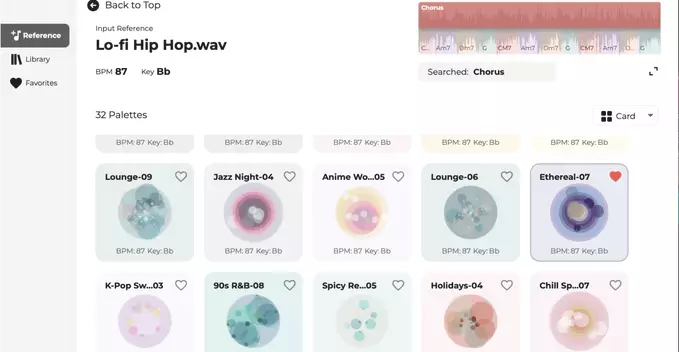
Roland has ind of aimitroduced Melody Flip, a new generative AI music plugin designed to act as a creative spark rather than a tool for producing polished, final tracks. Insteang for a radio-ready output, this plugin focuses on surprising the user with unexpected melodic ideas that can be captured and developed further. By leveraging generative AI, Melody Flip analyzes your input and instantly proposes alternative melodies, helping to break through creative blocks or simply push a song in a new direction. It is positioned as an inspirational companion in the studio, encouraging experimentation. The emphasis is on immediate, playful exploration—flipping a melody to hear a fresh variation—rather than on meticulous editing or arrangement. This approach makes it a distinct addition to Roland’s lineup, prioritizing the initial rush of creativity over the refinement process. For more details, you can visit the official announcement at Roland’s product page. Ultimately, Melody Flip is meant to get you started, not to finish the job.
At its core, Melody Flip operates as a creative catalyst rather than a simple effects processor. The plugin takes an input melody—whether played live via MIDI, sung into a microphone, or dragged in as an audio loop—and analyzes its fundamental characteristics, such as pitch contour and rhythm. It then uses this analysis to generate a series of musical variations that transform the original idea into something new.
These transformations aren’t random. The engine offers a range of “flip” algorithms that can invert intervals, shift the rhythmic feel, or re-harmonize the notes against a different scale. The result is a stream of alternative takes on your phrase, each retaining a recognizable DNA while exploring fresh melodic terrain. This process is designed to provide instant inspiration; you can audition dozens of variations in seconds, then export any that spark interest directly back into your DAW for further arrangement. By removing the friction of manual experimentation, Melody Flip lets artists break out of creative ruts and discover unexpected pathways from a single musical seed.
Melody Flip is aimed squarely at musicians and producers who are hunting for creative inspiration—not at engineers polishing a final master. Its core use case is breaking through writer’s block by rapidly generating unexpected melodic variations from your own input. You feed it a vocal or instrumental phrase, and it returns a fresh take that can spark a new direction for a song, a hook, or a beat.
This makes it a powerful idea-generation tool for the early stages of production, where rapid experimentation matters more than sonic fidelity. The output is meant to be a creative springboard, not a radio-ready vocal track. You would then re-record, re-pitch, or heavily process the results to fit your project. It is less suited for final vocal delivery or any scenario requiring pristine, broadcast-quality audio. Instead, think of it as a digital muse that helps you answer “what if?”—letting you audition dozens of melodic paths in seconds, then carry the best ones forward into your full production workflow.
Roland’s Melody Flip is available as a plugin in both VST3 and AU formats, ensuring compatibility with the majority of modern digital audio workstations (DAWs). This native integration means it sits directly on an audio or MIDI track, just like any other effect or instrument, allowing producers to call it up without disrupting their established session flow. Because it operates as a standard insert, you can use it on a vocal bus, a synth lead, or even a full drum loop, depending on your creative goal.
For those working in a hybrid setup, the plugin supports real-time processing, but it also handles offline rendering efficiently, meaning you can bounce your flipped audio without worrying about latency issues. The interface is designed to mirror the hardware unit’s layout, so if you are familiar with the standalone Melody Flip device, the transition to in-the-box use is immediate. Furthermore, parameter automation is fully supported, allowing you to morph the flip effect over time—a key feature for sound designers who want dynamic shifts within a single performance. No external hardware is required; a simple authorization process gets you running inside your existing production environment.










Comment