
Alerts
-
2 minutes, 31 seconds
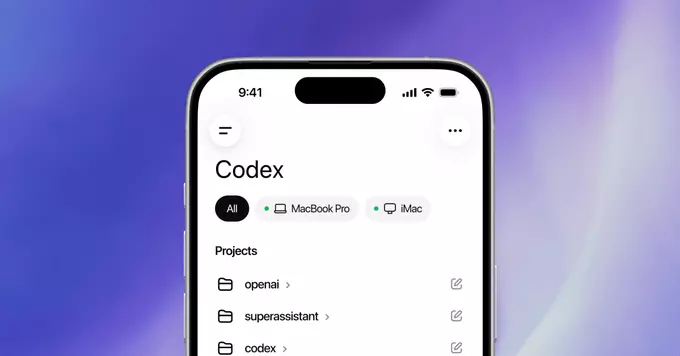
OpenAI has brought its powerful Codex model directly into the ChatGPT mobile app. This update means you can now write, debug, and understand code right from your phone or tablet. Whether you are a beginner learning to code or a professional developer, this new feature makes coding more accessible and convenient than ever before.
Codex is an AI system that translates natural language into code. It powers GitHub Copilot and can work with many programming languages, including Python, JavaScript, TypeScript, Ruby, and more. By adding Codex to the ChatGPT mobile app, OpenAI lets you generate code snippets, fix errors, and even explain complex code—all through a simple chat interface.
Using Codex is simple. Open the ChatGPT mobile app (available on iOS and Android), type or speak a request like “Write a Python function to reverse a string,” and the app will generate the code instantly. You can also ask follow-up questions to refine the output or ask for an explanation of how the code works.
Example 1: Ask “Create a JavaScript timer that counts down from 10 seconds.” Codex will produce a complete, working snippet you can copy into your project.
Example 2: Say “Explain this SQL query” and paste a query. ChatGPT will break it down in plain English, helping you understand joins, subqueries, or aggregations.
Example 3: Type “Debug: My Python code throws a TypeError when I try to add a string and an integer.” The AI will suggest fixes and show corrected code.
If you write about coding or share tutorials, this update is great content for your blog or YouTube channel. Cover topics like “How to use ChatGPT for coding on mobile” or “Best practices for AI-assisted programming.” Use keywords like ChatGPT Codex mobile, AI code generation app, and mobile coding assistant to rank higher in search results.
OpenAI’s Codex integration in the ChatGPT mobile app is a game-changer for anyone who works with code. It brings powerful AI assistance to your pocket, making coding faster, easier, and more portable. Update your app today and start exploring what Codex can do for you.










Comment